Buy New
-
To see product details, add this item to your cart.
Ships from: Amazon.com Sold by: Amazon.com
Used - Like New
-
To see product details, add this item to your cart.
FREE Returns
Return this item for free
We offer easy, convenient returns with at least one free return option: no shipping charges. All returns must comply with our returns policy.
Learn more about free returns. How to return the item? - Go to your orders and start the return
- Select your preferred free shipping option
- Drop off and leave!
Ships from: Amazon Sold by: Pacific Time Designs
Return this item for free
We offer easy, convenient returns with at least one free return option: no shipping charges. All returns must comply with our returns policy.
Learn more about free returns.- Go to your orders and start the return
- Select your preferred free shipping option
- Drop off and leave!
Download the free Kindle app and start reading Kindle books instantly on your smartphone, tablet, or computer - no Kindle device required.
Read instantly on your browser with Kindle for Web.
Using your mobile phone camera - scan the code below and download the Kindle app.
Follow the authors
OK
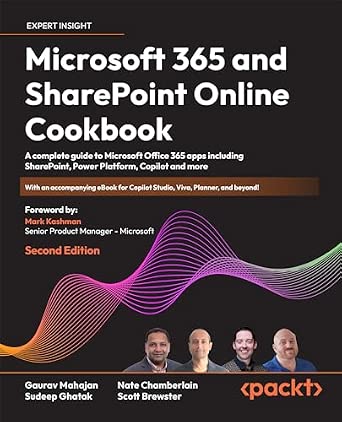
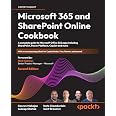
Microsoft 365 and SharePoint Online Cookbook: A complete guide to Microsoft Office 365 apps including SharePoint, Power Platform, Copilot and more
Purchase options and add-ons
Unlock over 100 recipes for mastering Microsoft 365. Boost productivity with Copilot, collaborate with SharePoint and Teams, automate tasks, create apps and reports using Power Automate (with RPA), Power Apps, Power BI, and more.
Free With Your Book: DRM-free PDF version + access to Packt's next-gen Reader*
Key Features
- Enhance collaboration and productivity using SharePoint, Teams, OneDrive, Viva, Planner, and Microsoft Forms
- Automate processes, build apps, bots, and dashboards with Power Automate (with RPA), Power Apps, Copilot Studio, and Power BI
- Harness Copilot, the new AI virtual assistant, for seamless support in your everyday tasks
Book Description
Microsoft 365 offers tools for content management, communication, process automation, and report creation. Microsoft 365 and SharePoint Online Cookbook maximizes workplace collaboration and productivity using SharePoint Online, Teams, OneDrive, Delve, M365 Search, Copilot, Power Platform, Viva, Planner, and Microsoft Forms.
You will find thoroughly updated recipes for SharePoint Online, covering sites, lists, libraries, pages, web parts, and learn SharePoint Framework (SPFx) basics for building solutions. You will explore many Microsoft Teams recipes to prepare it to be your organization’s central collaboration hub. You will be able to unlock Power Platform potential with recipes for Power Apps to enable low-code/no-code app development and learn to automate tasks with Power Automate and Power Automate Desktop. The book teaches you data visualization with Power BI, and chatbot creation with Power Virtual Agents (Copilot Studio). Finally, you will also learn about the cutting-edge Copilot and Gen AI functionality in Microsoft 365 and Power Platform. By the end, you will be equipped with skills to effectively use Microsoft 365, SharePoint Online, and the Power Platform.
Whether it's enhancing career prospects or improving business operations, this book is a perfect companion on your journey through the Microsoft Office 365 suite.
*Email sign-up and proof of purchase required
What you will learn
- Collaborate effectively with SharePoint, Teams, OneDrive, Delve, Search, and Viva
- Boost creativity and productivity with Microsoft Copilot
- Develop and deploy custom applications using Power Apps
- Create custom bots using Power Virtual Agents (Copilot Studio)
- Integrate with other apps, automate workflows and repetitive processes with Power Automate/Desktop (RPA)
- Design reports and engaging dashboards with Power BI
- Utilize Planner, To Do, and gather feedback with polls and surveys in Microsoft Forms
- Experience seamless integration in the mobile platform
Who this book is for
This cookbook caters to professionals stepping into the world of Microsoft 365 and SharePoint Online. It is tailored for a broad spectrum of skillsets including general business professionals, IT administrators, and enterprise architects who are newcomers to Microsoft 365, offering valuable insights for establishing a contemporary, digital workplace effectively.
Table of Contents
- Overview of Microsoft 365
- Introduction to SharePoint Online
- Modern Sites in SharePoint Online
- Lists and Libraries in SharePoint Online
- Document Management in SharePoint Online
- OneDrive
- Microsoft Teams
- Power Automate (Microsoft Flow)
- Creating Power Apps
- Applying Power Apps
- Power BI
- Overview of Copilot in Microsoft 365 and Power Platform
- ISBN-101803243171
- ISBN-13978-1803243177
- Edition2nd ed.
- PublisherPackt Publishing
- Publication dateFebruary 29, 2024
- LanguageEnglish
- Dimensions7.5 x 1.45 x 9.25 inches
- Print length640 pages
Frequently bought together

Customers who viewed this item also viewed
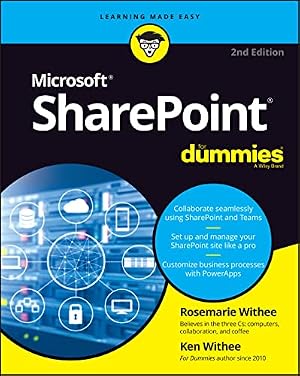
- SharePoint For DummiesPaperbackFREE Shipping on orders over $35 shipped by AmazonGet it as soon as Sunday, Sep 20
- Workflow Automation with Microsoft Power Automate: Design and scale AI-powered cloud and desktop workflows using low-code automationPaperbackFREE Shipping on orders over $35 shipped by AmazonGet it as soon as Monday, Sep 21
- The Microsoft Office 365 Bible: The Most Updated and Complete Guide to Excel, Word, PowerPoint, Outlook, OneNote, OneDrive, Teams, Access, and Publisher from Beginners to AdvancedPaperbackFREE Shipping on orders over $35 shipped by AmazonGet it as soon as Sunday, Sep 20
- Microsoft SharePoint: The Most Complete and Updated Guide to Store, Organize, Share, and Access Information from Any DevicePaperbackFREE Shipping on orders over $35 shipped by AmazonGet it as soon as Sunday, Sep 20
- Mastering Microsoft 365 and SharePoint Online: A complete guide to boosting organizational efficiency with Microsoft 365's real-world solutionsPaperbackFREE Shipping on orders over $35 shipped by AmazonGet it as soon as Monday, Sep 21
- The Microsoft Copilot Bible: [3 in 1] A Beginner's Guide to Harness AI in Office 365 to Automate Workflows, Generate Content, Analyze Data, and 10x Your ProductivityPaperbackFREE Shipping on orders over $35 shipped by AmazonGet it as soon as Sunday, Sep 20
Customers also bought or read
- Workflow Automation with Microsoft Power Automate: Use business process automation to achieve digital transformation with minimal code
Paperback$33.42$33.42Delivery Mon, Sep 21 - Learn Microsoft Power Apps: The definitive handbook for building solutions with Power Apps to solve your business needs
Paperback$29.99$29.99Delivery Mon, Sep 21 - Microsoft Power Apps Cookbook: Build user-friendly apps, troubleshoot challenges, and navigate the evolving Power Apps landscape
Paperback$34.99$34.99Delivery Mon, Sep 21 - Workflow Automation with Microsoft Power Automate: Design and scale AI-powered cloud and desktop workflows using low-code automation
Paperback$21.26$21.26Delivery Mon, Sep 21 - Mastering Microsoft 365 and SharePoint Online: A complete guide to boosting organizational efficiency with Microsoft 365's real-world solutions
Paperback$23.99$23.99Delivery Mon, Sep 21 - SharePoint Architect's Planning Guide: Create reusable architecture and governance to support collaboration with SharePoint and Microsoft 365
Paperback$29.99$29.99Delivery Mon, Sep 21 - Learn Microsoft Power BI: A comprehensive, beginner-friendly guide to real-world business intelligence
Paperback$44.99$44.99FREE delivery Mon, Sep 21 - Microsoft 365 Administration Cookbook: Boost efficiency, automate processes, and enforce compliance with expert admin recipes
Paperback$46.99$46.99FREE delivery Mon, Sep 21 - Mastering Microsoft Intune: Deploy Windows 11, Windows 365 via Microsoft Intune, Copilot and advance management via Intune Suite
Paperback$39.52$39.52FREE delivery Sun, Sep 20 - Microsoft Intune Cookbook: Over 75 recipes for configuring, managing, and automating your identities, apps, and endpoint devices
Paperback$65.99$65.99FREE delivery Mon, Sep 21 - Hands-On Microsoft Lists: Create custom data models and improve the way data is organized using Lists in Microsoft 365
Paperback$29.11$29.11Delivery Sun, Sep 20 - Data Visualization with Microsoft Power BI: How to Design Savvy Dashboards
Paperback$41.33$41.33FREE delivery Mon, Sep 21 - Mastering Microsoft Power BI: Expert techniques to create interactive insights for effective data analytics and business intelligence, 2nd Edition
Paperback$36.00$36.00FREE delivery Mon, Sep 21 - Customizing and Extending SharePoint Online: Design tailor-made solutions with modern SharePoint features to meet your organization's unique needs
Paperback$41.99$41.99FREE delivery Mon, Sep 21 - Customizing Microsoft Teams: Build custom apps and extensions for your business using Power Platform and Dataverse in Microsoft Teams
Paperback$30.99$30.99Delivery Mon, Sep 21 - SharePoint Online Modern Experience Practical Guide: Migrate to the modern experience and get the most out of SharePoint including Power Platform - 2nd Edition
Paperback$29.95$29.95Delivery Mon, Sep 21 - SharePoint Solutions: A Practical User Guide (Microsoft 365 Essentials: Tools for Productivity)
Paperback$16.89$16.89Delivery Sep 22 - 24 - Hands-On Microsoft Teams: A practical guide to enhancing enterprise collaboration with Microsoft Teams and Microsoft 365, 2nd Edition
Paperback$39.30$39.30FREE delivery Mon, Sep 21 - Mastering Knowledge Management Using Microsoft Technologies: Secrets to Leveraging Microsoft 365 and Becoming a Knowledge Management Guru
Paperback$46.99$46.99FREE delivery Mon, Sep 21 - Microsoft Power Platform Solutions Architect's Handbook: Architect future-ready solutions by extending Power Platform with Azure, AI, and Copilot
Paperback$34.99$34.99Delivery Mon, Sep 21 - SharePoint Online from Scratch: Microsoft 365 SharePoint for admins and content creators, from basics to advanced (Microsoft Tech from Scratch)
Paperback$29.95$29.95Delivery Mon, Sep 21
From the Publisher
Understanding document management
In the paperless infrastructure of modern IT, administrators and business professionals alike need to understand how document permissions and visibility work in a corporation. In this cookbook, you’ll find recipes that not only help you set up a document management system but also manage security in a way that’s scalable and efficient.
Important recipes:
- Creating a modern site
- Viewing and changing site settings
- Determining and revoking permissions for a site
- Creating a document library
- Associating a document template
- Versioning settings, content approval, and document checkout
Setting up Microsoft Teams
Microsoft Teams enjoys a popular position in modern business collaboration. By learning how to set up users and tour the calling and recording features on offer, you’ll be able to utilize this software as a staple tool for your business activities. What’s more, you’ll learn how to use connectors to add more services to your Teams environment and respond to approval workflows.
Important recipes:
- Installing Teams
- Creating channels and tabs
- Adding a connector
- Using approvals in Teams
- Creating custom registration forms for Teams meetings
- Using breakout rooms in Teams meetings
Business workflows with Power Platform
Business workflows can describe many processes, from moving documents and sending notifications to the building of interactable UIs. With Microsoft Power Platform, you can perform all these tasks with minimal coding knowledge. This new edition is packed with new recipes that make the most of Power Platform, providing instructions for building simple yet popular workflows and apps.
Important recipes:
- Creating a flow using a template
- Testing a flow
- Importing a flow
- Creating a template-based app
- Connecting to data sources
- Embedding a Power App in Teams
Editorial Reviews
Review
“The collaborative effort of the authors brings together a rich tapestry of experiences and insights, making complex concepts accessible through clear explanations and step-by-step guidance. Particularly noteworthy is the book's coverage of the Power Platform and Copilot, highlighting Microsoft's forward-thinking in integrating AI features to streamline and enhance user experiences. This focus not only equips readers with current knowledge but also prepares them for future advancements in Microsoft's ecosystem. Both IT pro and end user friendly, this book offers good clear knowledge.”
Peter Ward CEO at SoHo Dragon and Microsoft 365 MVP
“This book is a recipes-to-success publication. If you’re looking for practical guidance on Microsoft 365, you’ve picked the right book with the right authors. Microsoft 365, SharePoint, Teams, Viva, Power Platform, and more give you the ingredients; this second edition provides over 100 recipes to mix and blend with confidence. Whether you’re a beginner or an expert, you’ll find something useful and interesting on your way to becoming a top 365 chef. Now you’re cookin’!
The authors are all Microsoft experts with years of real-world experience in designing and building Microsoft 365-based solutions (big and small) – and they’re gracious to point out all the gotchas. Each recipe ensures it is easy to follow and navigate toward photo-worthy results. You’ll learn how to configure, customize, automate, and integrate Microsoft 365 workloads to enhance your productivity and collaboration. Plus, tips and tricks along the way.
So, grab your apron and get ready to explore the delicious possibilities of Microsoft 365. Bon appétit! Chefs Gaurav, Sudeep, Nate, and Scott await.”
Mark Kashman, Senior product manager at Microsoft
About the Author
Gaurav Mahajan is a Microsoft Technology Solutions Professional who specializes in Microsoft 365, SharePoint, and AI, with over 19 years of technical consulting experience. Gaurav has a bachelor's in engineering, is Stanford certified in machine learning, and holds a PG Diploma in management from the Indian Institute of Management. He speaks at and organizes technical events, code camps, and conferences. He is a co-chair of the M365 & SharePoint Saturday, Pittsburgh (US) annual conference.
Sudeep Ghatak is a Microsoft MVP in Business Applications and a frequent contributor to the Power Automate Community forum. He works as a Principal Architect in Christchurch, New Zealand and loves designing solutions based on Office 365 and the Azure platform. He is a certified Solutions Developer (MCSD) and holds a postgraduate degree in instrumentation engineering. He is an active member of the Microsoft community and often seen speaking at user groups and conferences in New Zealand.
Nate Chamberlain is a technical content creator, solution architect, and trainer, recognized as a 5-year Microsoft MVP. With a background in business analysis and systems administration, Nate has authored seven books and manages his blog. He holds an array of certifications, including M365 Enterprise Administrator Expert and Microsoft Power Platform App Maker Associate, and is a frequent speaker at user groups and conferences.
Scott Brewster is a Microsoft 365 Solutions Architect. He has supported numerous government clients focusing on SharePoint and Microsoft 365 since 2008. His focus is on security, administration, migration, governance, and training. Scott has been speaking at conferences and user groups since 2010 and runs the SharePoint User Group of DC.
Product details
- Publisher : Packt Publishing
- Publication date : February 29, 2024
- Edition : 2nd ed.
- Language : English
- Print length : 640 pages
- ISBN-10 : 1803243171
- ISBN-13 : 978-1803243177
- Item Weight : 2.39 pounds
- Dimensions : 7.5 x 1.45 x 9.25 inches
- Best Sellers Rank: #128,080 in Books (See Top 100 in Books)
- Customer Reviews:
About the authors

Scott Brewster is currently Chief Technology Officer for InfoTech LLC, a managed services provider (MSP) in the Rockville, MD, area. He served in the US Army from 1997 to 2007 as an intelligence analyst. Upon an honorable discharge, Scott began supporting the intelligence community and other federal agencies as a SharePoint on-prem farm administrator then front-end developer, information architect, and then M365 architect. He took over the SharePoint User Group of DC in 2016, and he changed it to the M365 User Group of DC. He has spoken at numerous conferences over the years.

Nate Chamberlain is a seasoned technical content creator, product marketer, and trainer, specializing in Microsoft 365 (M365) applications and services such as SharePoint, Teams, Power Automate, Power Apps, and Power BI. With a background in business analysis and systems administration across various industries, Nate has developed and delivered solutions that help both organizations and individuals enhance their use of M365 through informed administration, governance, and adoption strategies.
Nate has authored several books on M365, covering topics from practical usage guides to certification exam preparation. He also runs a blog, which features over 300 posts and has amassed more than 2 million views, serving as a platform for sharing his insights and tips. Beyond his writing, Nate engages with the digital workplace community by speaking at user groups and conferences, aiming to both share his knowledge and learn from the challenges others face.
Holding certifications in M365 Enterprise Administrator Expert, Microsoft Power Platform App Maker Associate, Microsoft Teams Administrator Associate, Azure Fundamentals, and two technical trainer certifications (MCT and CTT+), Nate's qualifications are a testament to his dedication and skill in his field.
In addition to his technical pursuits, Nate volunteers as a Docent at the Kansas City Zoo & Aquarium, sharing his knowledge about animals, their habitats, and conservation efforts with visitors. This combination of technical expertise and community involvement underscores Nate's commitment to both his professional field and broader educational efforts.

Discover more of the author’s books, see similar authors, read book recommendations and more.

I am a Microsoft MVP with over 20 years of experience working with Microsoft technologies.
I started my career as a .NET programmer and later moved to SharePoint back in 2007. I work as a principal architect in NZ and design solutions based on Office 365 and the Azure platform. I hold a postgraduate degree in instrumentation engineering. I am an active member of the Microsoft community in New Zealand. I am a speaker and advocate of Office 365 and Azure. You can spot me at user groups and conferences in and around Christchurch, New Zealand.
Outside of work, I love to spend time with my family and have a strong interest in music and astrophysics. I love playing guitar and am currently taking violin lessons with my daughter.


![The Microsoft Copilot Bible: [3 in 1] A Beginner's Guide to Harness AI in Office 365 to Automate Workflows, Generate Content,](https://images-na.ssl-images-amazon.com/images/I/6137D0WO3TL._AC_UL165_SR165,165_.jpg)


![Book cover The Microsoft Copilot Bible: [3 in 1] A Beginner's Guide to Harness AI in Office 365 to Automate Workflows, Generate Content, Analyze Data, and 10x Your Productivity](https://m.media-amazon.com/images/I/41+5Qv4pd2L._UX300undefined_.jpg)