
In C++, input and output are performed using streams, which are sequences of bytes, Common stream objects are cin ( reads input from the keyboard) , cout : (displays output on the screen) .
- Each stream has a buffer, which temporarily stores data to make input/output faster.
- I/O redirection means changing where the program gets input from or sends output to. For example, sending cout output to a file instead of the screen.
- The function ios::rdbuf() is used to redirect streams to different sources or destinations.
Example: Program read from or write to files instead of the default keyboard and screen.
#include <bits/stdc++.h>
using namespace std;

int main()
{

    // Create an output stream to a file
    ofstream file;
    file.open("writeFile.txt");

    // Store default cout's buffer
    streambuf *cout_buf = cout.rdbuf();

    // Get the streambuf of the file
    streambuf *file_buf = file.rdbuf();

    // Redirect cout to the file by setting cout's buffer to the file's buffer
    cout.rdbuf(file_buf);

    cout << "This line will be written to "
         << "'writeFile.txt'";

    // Flush to ensure all the data is written
    cout.flush();

    // Redirect cout back to its default buffer
    cout.rdbuf(cout_buf);

    cout << "This line will be written to console";

    // Close the file stream
    file.close();

    return 0;
}
Output
This line will be written to console

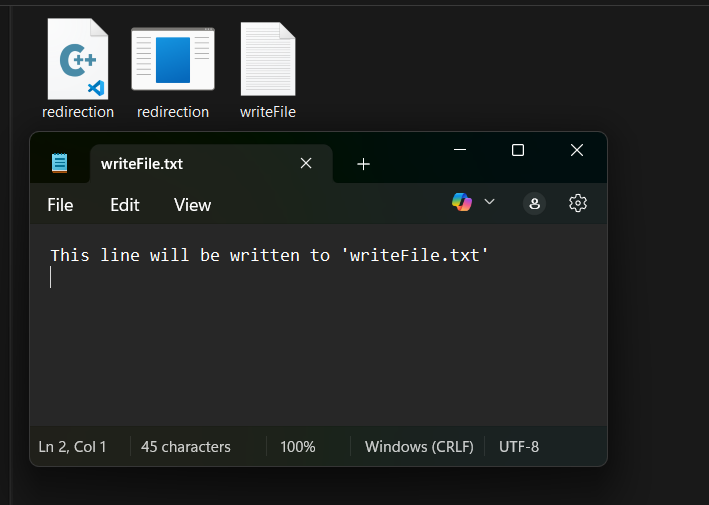
Internal Working of ios::rdbuf()
The rdbuf() function manipulates the internal buffer of the stream object (cout, cin, etc.). Below points shows, how ios::rdbuf() change the internal buffer of the stream:
- A backup of the original stream buffer (e.g., cout_buffer) is created.
- The stream buffer of the desired output (e.g., file) is assigned to the stream (e.g., cout).
- After the redirection is done, the output is written to the file instead of the console.
- After the task is completed, the stream buffer is reset back to the original buffer, and output will return to the console.
Redirecting cin to a File
#include <bits/stdc++.h>
using namespace std;

int main()
{
    fstream file;

    // Open file for reading
    file.open("writeFile.txt", ios::in);
    string line;

    // Backup the original streambuf of cin
    streambuf *cin_buffer = cin.rdbuf();

    // Get the streambuf of the file
    streambuf *file_buffer = file.rdbuf();

    // Redirect cin to the file
    cin.rdbuf(file_buffer);

    // Now cin will read from "wFile.txt" instead of keyboard
    getline(cin, line);

    // Print the file string
    cout << line;

    // Set cin's buffer back to the original console buffer
    cin.rdbuf(cin_buffer);
    file.close();
    return 0;
}
Output
This line will be written to 'writeFile.txt'Redirection with freopen()
It's a method to achieve I/O redirection in C++, but this method is inherited from the C language.
Syntax:
freopen (fileName, mode, stream);
where,
- fileName: Representing the path to the file you want to redirect to or from.
- mode: Specifying the file access mode like read mode (r).
- stream: A pointer to an existing standard C++ file stream that you want to redirect.
Return Value: freopen() returns a pointer to the newly reopened file stream if successful otherwise return NULL.
#include <bits/stdc++.h>
using namespace std;
int main()
{

    // Redirect standard output (stdout) to "output_freopen.txt" in write mode ("w")
    if (freopen("output_freopen.txt", "w", stdout) == NULL)
    {
        cerr << "Error redirecting stdout!" << endl;
    }

    // Output write in the output_freopen.text file
    cout << "This output will be written to 'output_freopen.txt'" << endl;
    cout << "Another line to the file.";

    return 0;
}
Output
This output will be written to 'output_freopen.txt'
Another line to the file.
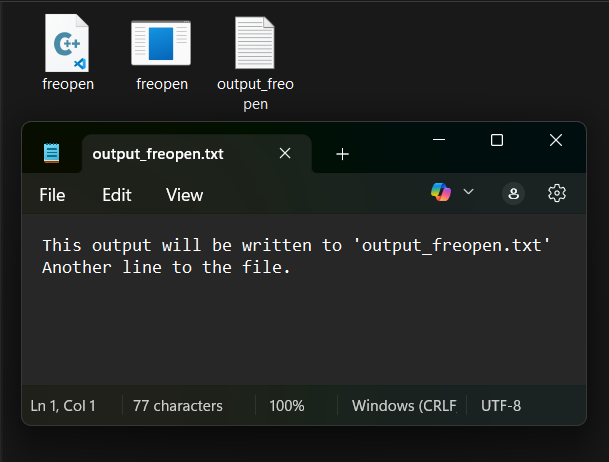
Explanation: In the example above, instead of displaying output on the console or screen using cout, we write output to the file "output_freopen.txt". When cout is used, it writes output to the "output_freopen.txt" file.
Need of I/O Redirection
There are following points to enhance the program if we change the standard I/O working:
- Automation: Run programs repeatedly with the same input data without manually typing it each time. This is essential for testing and batch processing.
- Data Pipelines: Connect the output of one program as the input of another program, creating powerful processing workflows in scripting and command-line environments.
- Testing and Debugging: Easily test your program with various input scenarios by simply changing the input file. Capture program output to files for detailed analysis and comparison with expected results.
- Logging and Monitoring: Redirect program output, especially error streams, to log files. This creates a record of program activity, useful for debugging, auditing, and system monitoring.
- Clean Console Output: Keep your console clear of program output when you want to examine the results later in a file, or when you are running programs in the background.
Differences between ios::rdbuf() and freopen()
We can achieve I/O redirection with both methods, but there are some key differences between them, which are mentioned below:
| ios::rdbuf() | freopen() |
|---|---|
| Changes the internal buffer of C++ streams(cin, cout) | Redirects standard streams(stdin, stdout, stderr) to a file. |
| C++ stream-level(high-level control) | C-style file-level redirection |
Allows fine control over stream buffering | Does not provide buffering control |
Used when working with C++ streams and file streams | Used for simple redirection, often in competitive programming |