

A Database Management System (DBMS) is software that allows the storage, organization, and management of large amounts of data. It ensures data consistency, integrity, and security, allowing multiple users to access and manipulate data.
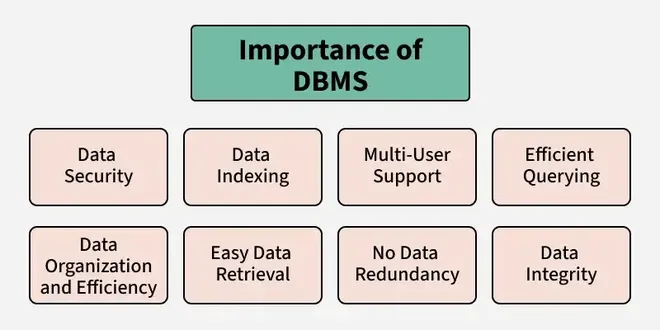
- Organizing and Managing Data: Easy to find and use with features like indexing and fast search.
- Data Security and Privacy: Keeps data safe with login controls, encryption, and strict access rules.
- Better Data Insights: Helps to turn raw data into useful insights, making faster decisions.
- Saves Time and Money: Cuts costs by reducing data duplication and is more efficient than old-school file systems.
Traditional File Systems
Data is stored and retrieved using files in a typical file system.
- A company keeps separate files for employee details, customer information, and daily sales.
- These files could be stored as text documents, spreadsheets or printed records in cabinets.
- Easy to create and manage files without requiring specialized software.
- No need to invest in additional tools or training to use file systems.
- Users could access files directly from storage devices.
Advantages of DBMS over File Systems
1. Reduced Data Redundancy
- Data is stored in a centralized location, removing unnecessary duplication.
- Example: Customer details are stored in one central database, accessible for all operations.
2. Improved Data Integrity and Consistency
- Changes made in the database are reflected across all related data points.
- Example: If a customer’s address is updated, all orders reflects the new address.
3. Enhanced Security
- DBMS provides role-based access and ensures only authorized users can view or modify the data.
- Example: Only HR staff can access employee salary details.
4. Support for Data Relationships
- Relational DBMS links data points, making relationships easier to manage.
- Example: Customers and their orders can be linked using a “customer ID.”
5. Data Independence
- DBMS provides logical and physical data independence, meaning changes in schema or storage do not affect application programs.
- Example: Index can be created on CustomerID to speed up searches without changing application queries.
6. Query Optimization
- It uses cost-based query optimizers to choose the most efficient execution plan for SQL queries.
- Example: Using CustomerID to quickly find a customer’s orders instead of scanning the entire table.
Role of DBMS
- Managing data efficiently with optimized storage and retrieval.
- Providing simple query languages like SQL.
- Ensuring data consistency and concurrency with transaction controls.
- Enforcing robust security policies with built-in access controls.
File System Applications
File systems store and organize raw files on storage devices without advanced querying or relationship management, making them suitable for simple use cases with low concurrency.
1. Personal Computing
- Used to keep everyday files such as documents, photos, and videos.
- Example: NTFS is used on Windows for personal folders, and ext4 is used on Linux for home directories.
2. Embedded Systems
- Suitable for basic data logging in resource-constrained systems.
- Example: IoT devices or routers storing firmware logs on flash memory without SQL overhead.
3. Content Delivery
- To serve static content such as images and videos.
- Example: NFS for sharing media files across small networked web servers.