Git - git-show Command Line Utility
Last Updated :
23 Jul, 2025
Git is a free and open-source distributed version control system designed to handle everything from small to very large projects with speed and efficiency. Git relies on the basis of distributed development of software where more than one developer may have access to the source code of a specific application and can modify changes to it that may be seen by other developers. Initially designed and developed by Linus Torvalds for Linux kernel development in 2005.
git show
We use Git in our daily coding activities, however, there are many concepts of Git that are still unknown to people. One such command is git show. Before getting started with what git show is, let us initialize our local directory with git init command and make it a git repository is as depicted below:
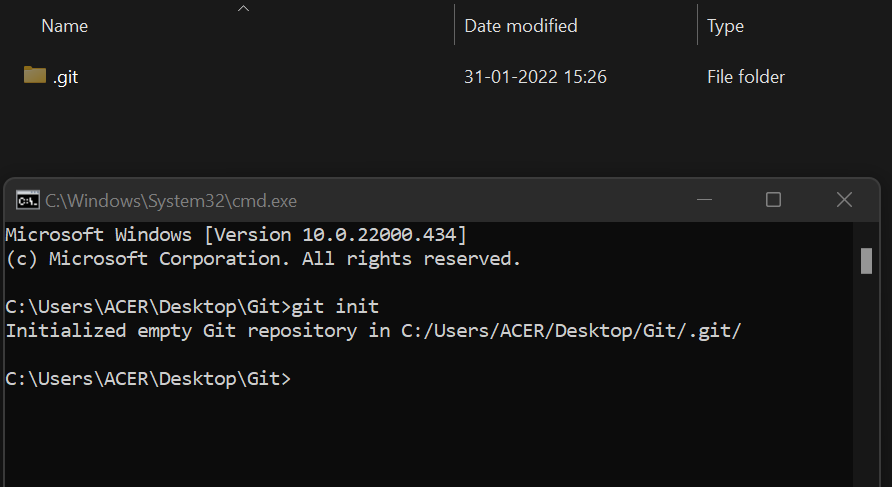
When working with Git, we see the .git folder which contains many subdirectories inside it, one such subdirectory is .git/objects directory which contains the information about different types of objects such as blob , trees , commits, and tags.
Blob Object - stores the contents of the file
Tree Object - contains a list of all files in our repository with a pointer to
              the blob object assigned to them
Commit Object - points a pointer to its tree object
Tag Object - show the tag message and other objects
             included in the tag(object name, object type, tag name)
To view expanded details on these objects we use the command git show. Let us understand more about the command with the help of an example.
We have created a file named demo.txt, wrote 2 lines in it, and committed the changes.
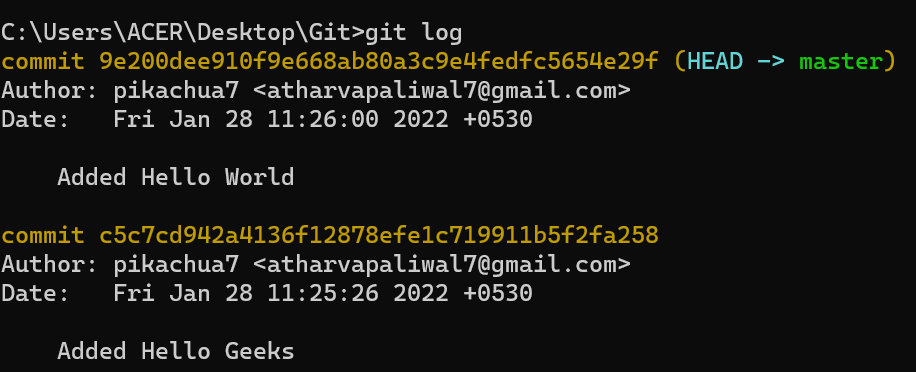
Let's now use git show command and see what all information we get using the command.
git show <commit id>
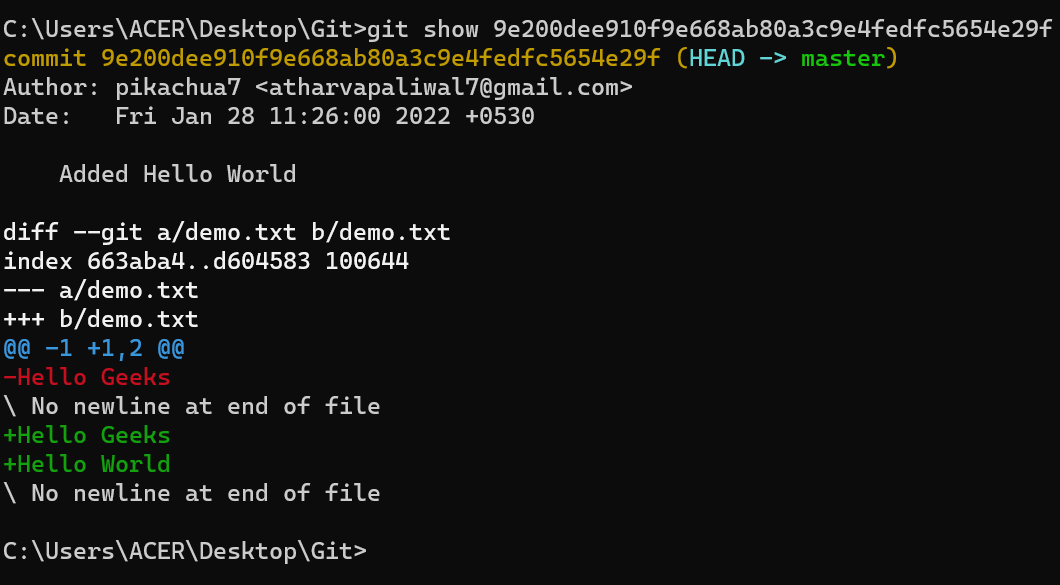
We can see that there is a lot of information that we got when we use git show command. From the above image, we can infer that git show command shows us 2 things
- Part 1: The commit message and the pointer to which the HEAD is pointing.
- Part 2: Second thing that can see is the different versions of the file .
Let's discuss the 2 parts to some depth as follows:
PART 1

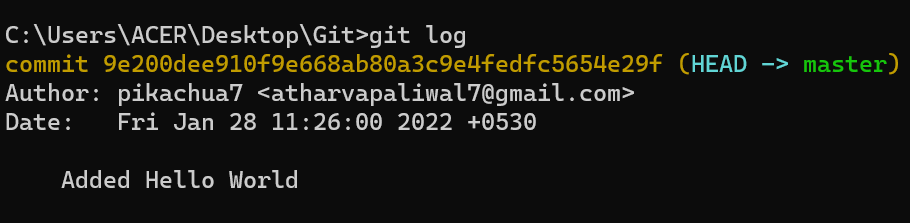
The first part gives us the same result as when we type the git log command which tells us about the commit history of the commit id.
HEAD -> master
Tells us about the pointer where the HEAD is currently pointing.
Since this commit had a pointer to the HEAD, let's see another example of git show where the commit doesn't have a pointer to the HEAD.
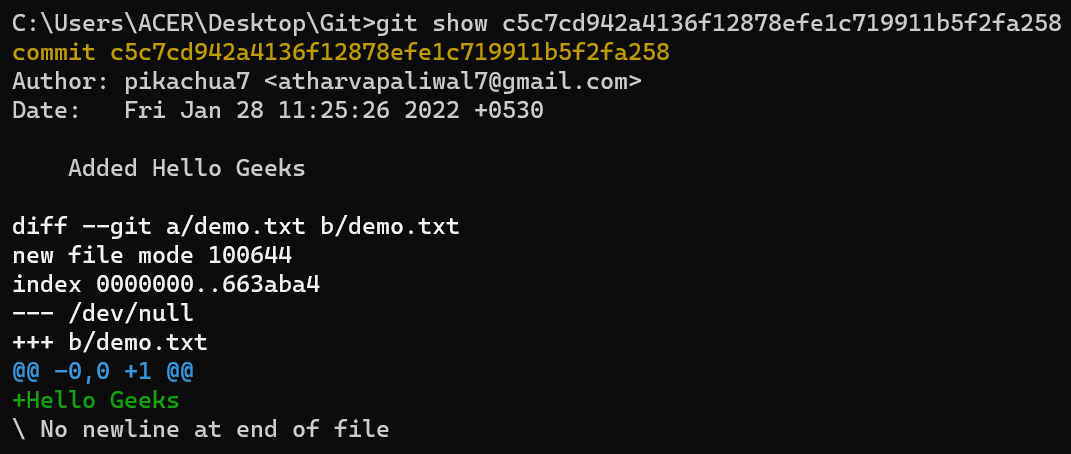
We didn't get HEAD->master here as this commit is not pointing to the HEAD.
PART-2
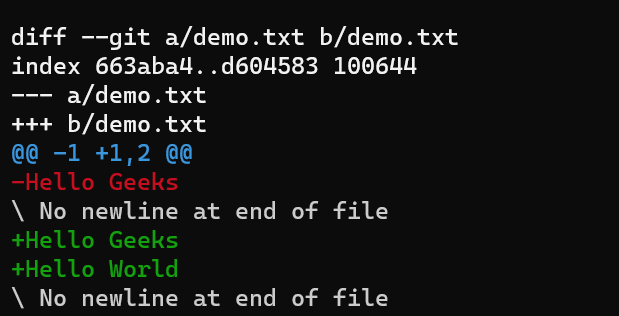
As we can see that this part starts with diff --git a/demo.txt b/demo.txt .
- diff here means the difference, difference in between the file that is pointing to HEAD.
- a/demo.txt and b/demo.txt show the 2 versions of the file demo.txt.
git diff command in git is used to track the difference between the changes made on a file. It shows the changes between the commits, working tree, branches, files .
One can try and check git show command by trying it on various commit ids.
What is the primary use of the git show command?
-
To list branches in a repository
-
To display detailed information about a commit, including changes made
-
To merge commits into a branch
-
To clone a remote repository
Explanation:
git show <commit-id> displays commit details, diff of changes, author, timestamp, and file modifications.
Which of the following objects does Git store inside the .git/objects directory?
-
-
Blob, tree, commit, and tag objects
-
-
Explanation:
The .git/objects directory contains blob (file data), tree (directory structure), commit, and tag objects.
In git show <commit-id>, what does the diff --git a/file b/file section indicate?
-
Deleted files in repository
-
Comparison between two versions of the file
-
-
Explanation:
diff --git a/file b/file shows differences between two versions of the specified file in the commit.
If a commit is not the current HEAD, which part will be missing from the git show output?
-
-
-
HEAD -> master pointer information
-
Explanation:
Only commits pointed by the current HEAD display HEAD -> branch. Past commits do not show this.
Which object type stores actual file contents in Git?
Explanation:
Blob objects store file content, tree stores directory lists, commit stores metadata, and tag stores references.
Quiz Completed Successfully
Your Score : 2/5
Accuracy : 0%
Login to View Explanation
1/5
1/5
< Previous
Next >
Explore
Git Introduction
Git Installation and Setup
All Git Commands
Most Used Git Commands
Git Branch
Git Merge
Git Tools and Integration
Git Remote Repositories
Collaborating with Git
Advanced Git Commands