
Kali Linux is a popular distribution used for penetration testing, ethical hacking, and cybersecurity. Installing Kali Linux in VMware allows you to run it as a virtual machine, providing an isolated environment to practice hacking techniques and test security tools. VMware’s virtualization capabilities make it easy to set up and manage Kali Linux alongside other operating systems.
In this guide, we’ll walk you through the steps to install Kali Linux in VMware, ensuring a smooth and efficient setup process.
How to Install Kali Linux on VMware?
To configure Kali Linux in VMware, the following two sections should be executed in the sequence. We will start with the ISO File configuration on VMware.
Section 1: Configure Kali Linux ISO File on VMware
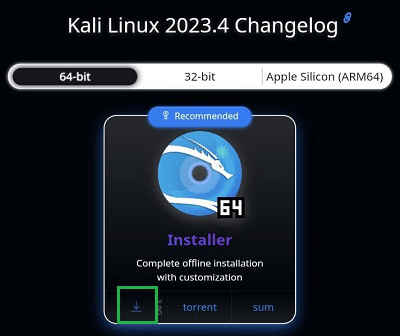
Step 1: Browse to the Official Kali Linux Page. Click on the Download Symbol to get the ISO File.
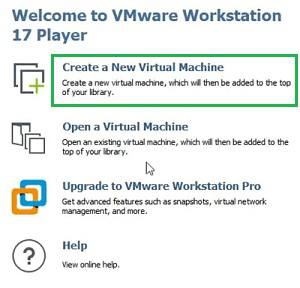
Step 2: Open the VMware & select the option Create New Virtual Machine.
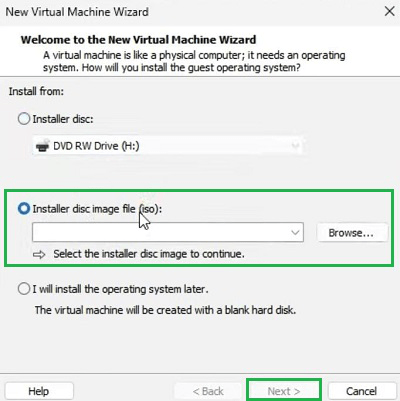
Step 3: Upload the ISO File & Select Next.
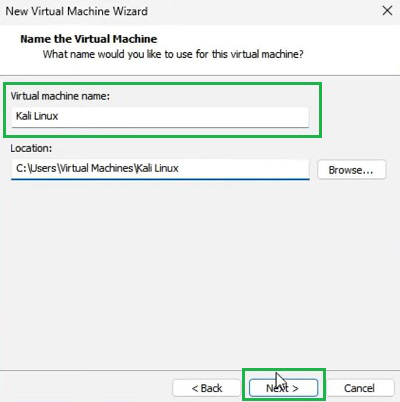
Step 4: Provide the Virtual Machine OS Name & select Next.
Step 5: It is time to set the Disk Size of the Virtual Machine. It will be better to click on the Next without making any changes.
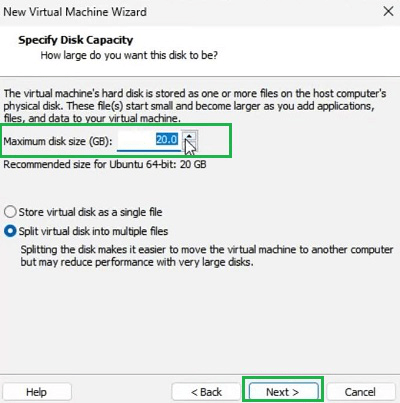
Step 6: Click on Finish to save the changes.
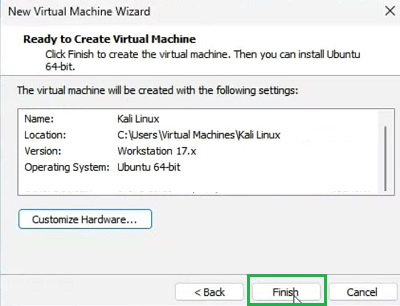
Section 2: Install Kali Linux in VMware
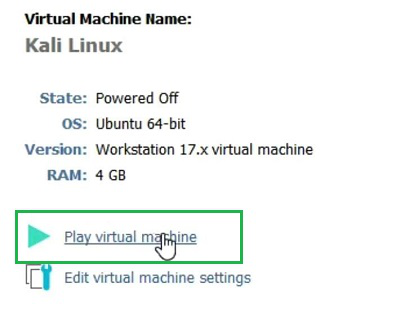
Step 1: Click on the option Play Virtual Machine.
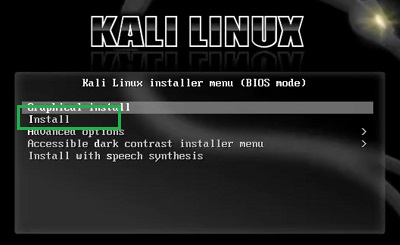
Step 2: Click on the Install Button.
Step 3: After selecting Language & Country, provide Username & Password. Click Continue to move ahead.
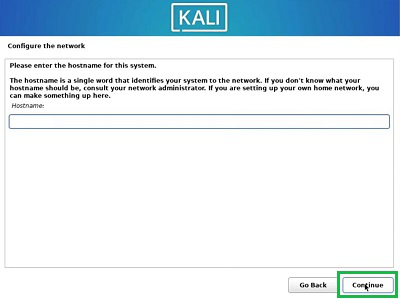
Step 4: At last, the Installation of Kali Linux will be completed. Click on Continue to go through the System Reboot to start the OS.

After installing Kali Linux, refer to the Kali Linux Tutorial for a step-by-step guide on usage and advanced features.
Conclusion
By following this guide, you can easily install Kali Linux in VMware and start using it for penetration testing, security research, or learning purposes. VMware provides a stable and flexible platform for running Kali Linux as a virtual machine, allowing you to explore its features without affecting your primary operating system. Whether you're an ethical hacker or a cybersecurity enthusiast, this setup is perfect for enhancing your skills in a controlled environment.