
Paramiko is a Python library used to perform secure remote communication using the SSH2 protocol. It enables developers to connect to remote servers, execute commands, transfer files, and automate system management tasks securely.
- Connecting to remote servers using SSH
- Executing commands on remote systems
- Secure file transfer (SFTP)
- Automating server administration tasks
- Building network automation scripts
Prerequisites:
Before installing Paramiko, ensure you have:
- A Kaggle account
- Basic familiarity with Kaggle Notebooks
- Basic Python knowledge
Install Paramiko in Kaggle: Step-by-Step
Here's a simple step-by-step guide to help you install Paramiko in Kaggle.
Step 1: Open a Kaggle Notebook
- Log in to your Kaggle account
- Open an existing notebook OR create a new notebook
- Navigate to the Code section to add code cells
Step 2: Install Paramiko
In a new code cell, run:
!pip install paramiko
This command installs Paramiko using Python’s package manager (pip) from the Python Package Index (PyPI).
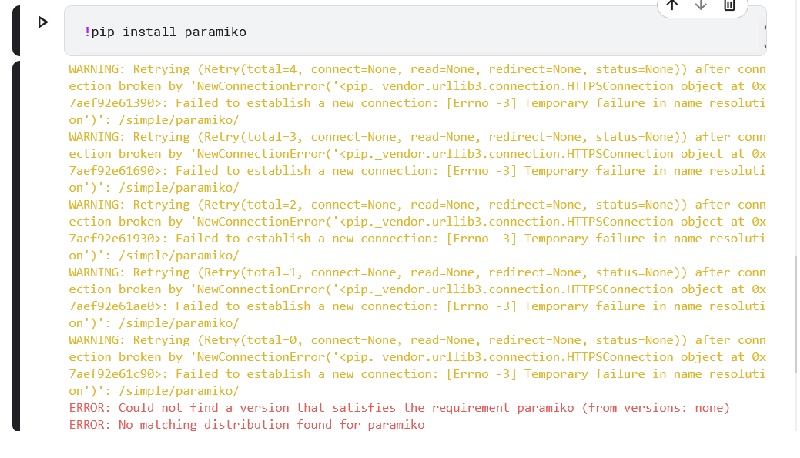

This command uses pip, Python’s package installer, to download and install the Paramiko library from the Python Package Index (PyPI).
Step 3: Verify the Installation
After installing Paramiko, it’s good practice to verify that the installation was successful. To do this:
- Add another code cell.
- In that cell, try importing Paramiko with the following command:
  import paramiko
  print("Paramiko installed successfully!")
Run the cell. If there are no errors, it means Paramiko is installed and ready to be used.

Troubleshooting Common Issues
Here are some common issues you might encounter and how to resolve them:
Dependency Errors
If installation fails due to missing dependencies:
- Re-run the install command
- Install missing packages using pip if required
Import Errors
If you see an import error:
- Ensure the installation cell executed successfully
- Restart the notebook session and try again
Since Kaggle runs in a cloud environment:
- Direct SSH access may depend on network permissions
- Some external server connections may be restricted
- Always test production SSH automation locally