
The Requests library is a widely used Python tool for sending HTTP requests and working with web APIs. In most cases, the Kaggle environment already includes Requests, but sometimes you may need to install or update it manually.
Why you may need to install or upgrade Requests:
- Access the latest features and security updates
- Fix compatibility issues with other libraries
- Install a specific version required for a project
- Resolve missing library errors in the notebook environment
Prerequisites:
Before proceeding, ensure you have the following:
- A Kaggle account and access to Kaggle notebooks.
- Basic knowledge of Python programming.
- Familiarity with web APIs and HTTP requests.
Installing Requests via Kaggle Notebook
If Requests is not available or you want to install a specific version, follow these steps:
Step 1: Open a Kaggle notebook
- Navigate to Kaggle, start a new notebook, or use an existing one.

Step2: Install Requests
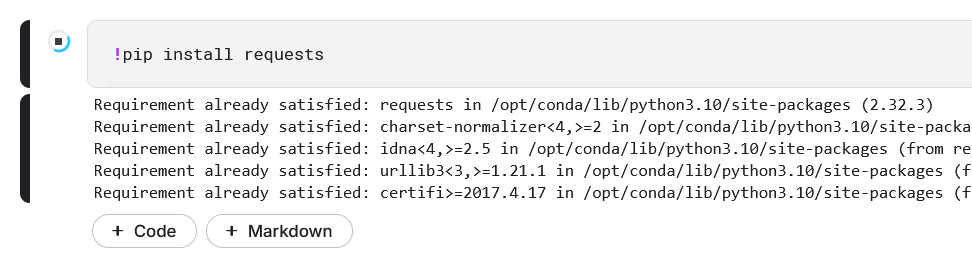
- In a cell, type and execute the following command to install the Requests library
!pip install requests
This will install the Requests library in your Kaggle environment.
Step 3: Specify a Version (Optional):
- To install a specific version of the Requests library, use the following command:
!pip install requests==2.25.1
Note: Replace 2.25.1 with the version number we want.
Step 4: Verifying the Installation
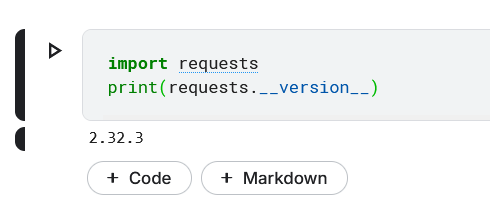
- After installation, verify that the Requests library is properly installed by importing it:
import requests
print(requests.__version__)
This will print the installed version of the Requests library, confirming the successful installation.
Troubleshooting Common Issues
If you encounter issues while installing or using the Requests library, consider the following:
- ModuleNotFoundError: If you still encounter this error after installing, try restarting the notebook kernel and rerun the installation command.
- Connection Errors: Ensure that your internet connection is stable, as installing packages in Kaggle requires an active connection.
- Version Conflicts: If you need to resolve version conflicts, try uninstalling the current version of Requests using !pip uninstall requests and reinstalling the desired version.