

Spring Initializr is a web-based tool that quickly generates a ready-to-use Spring Boot project with the required structure and dependencies. It simplifies project setup so developers can focus more on development than configuration.
- Provides pre-configured Spring Boot project structure with selected dependencies
- Reduces manual setup by automatically generating Maven/Gradle configurations
- Integrated with IDEs like IntelliJ IDEA, Eclipse, and Spring Tool Suite for faster project creation
Key Configurations Managed by Spring Initializr
Spring Initializr simplifies project setup by handling several configurations automatically:
- Build Tool: Choose between Maven or Gradle.
- Spring Boot Version: Ensures all dependencies are compatible with the selected version.
- Dependencies: Add required Spring modules and third-party libraries.
- Language: Select Java, Kotlin, or Groovy.
- Java Version: Select the target Java version (e.g., 8, 11, 17, 21 depending on support).
- Project Metadata: Define project name, group ID, artifact ID, description, packaging type (JAR or WAR), and base package
- Packaging Type: Decide whether the project will be packaged as JAR or WAR (often part of metadata, but useful to highlight separately).
Steps to Generate a New Spring Cloud Project
Follow these steps to generate a new Spring Cloud project using Spring Initializr.
Step 1: Open Spring Initializr
Create project using spring initializr.
Step 2: Select Project Settings
Choose your project type (Maven or Gradle), language (Java preferred), and Spring Boot version.
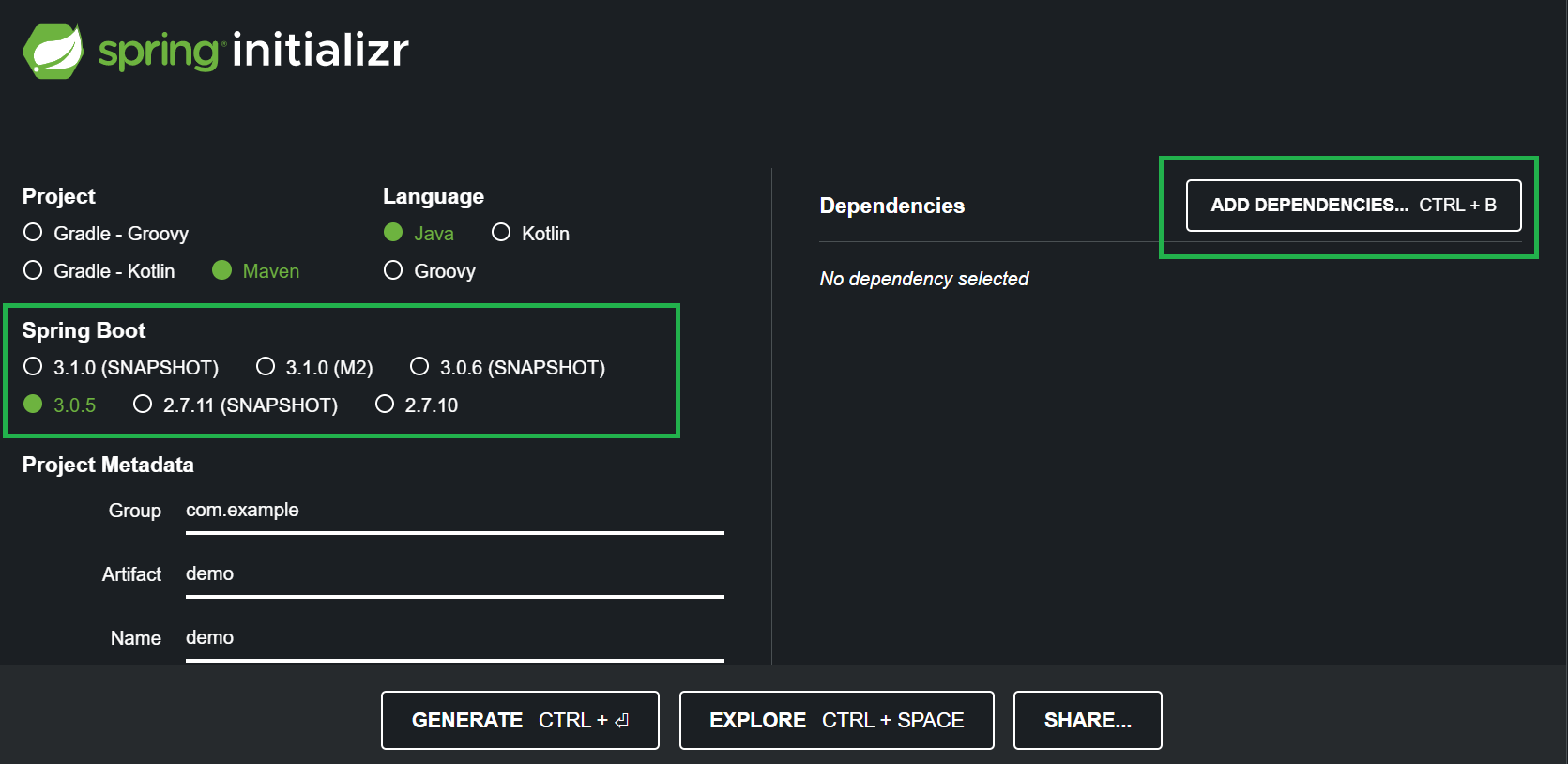
Step 3: Add Dependencies
Click on Add Dependencies. In the search bar, type Spring Cloud. A list of available Spring Cloud modules will appear.
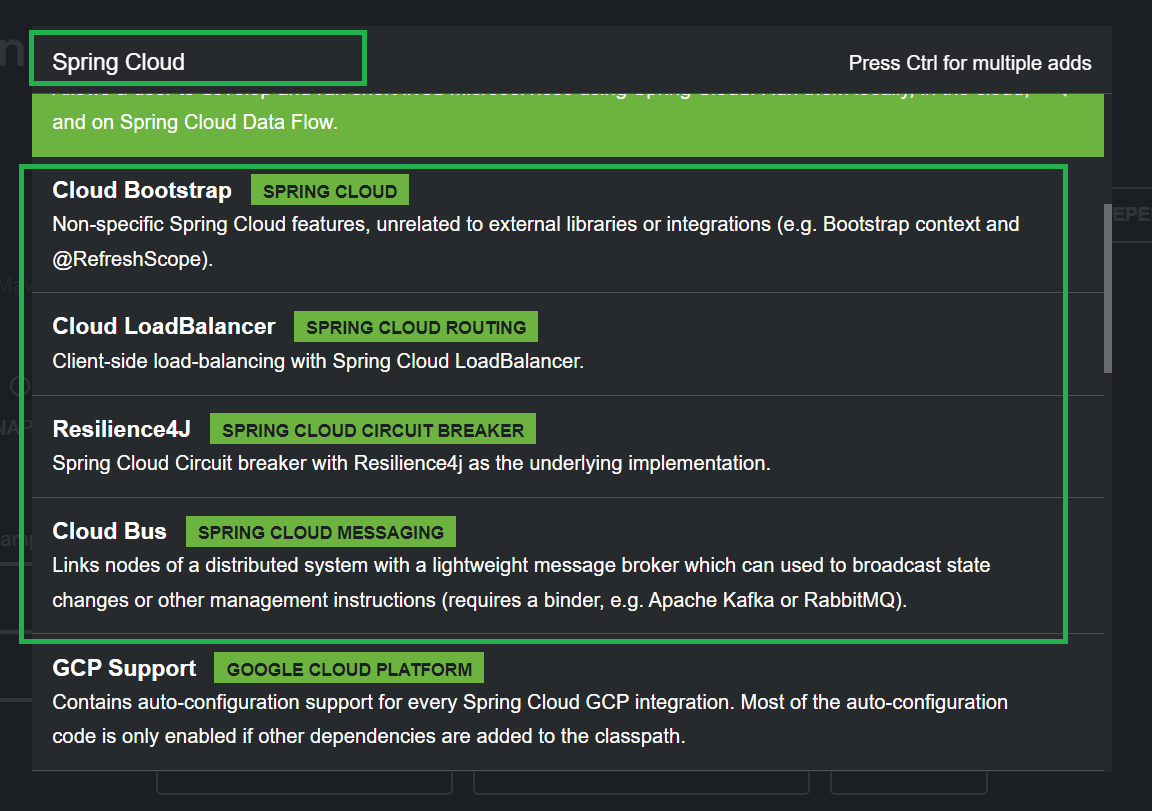
Step 4: Choose Required Modules
Select the Spring Cloud components you need, such as:
- Cloud LoadBalancer
- Eureka Server
- OpenFeign
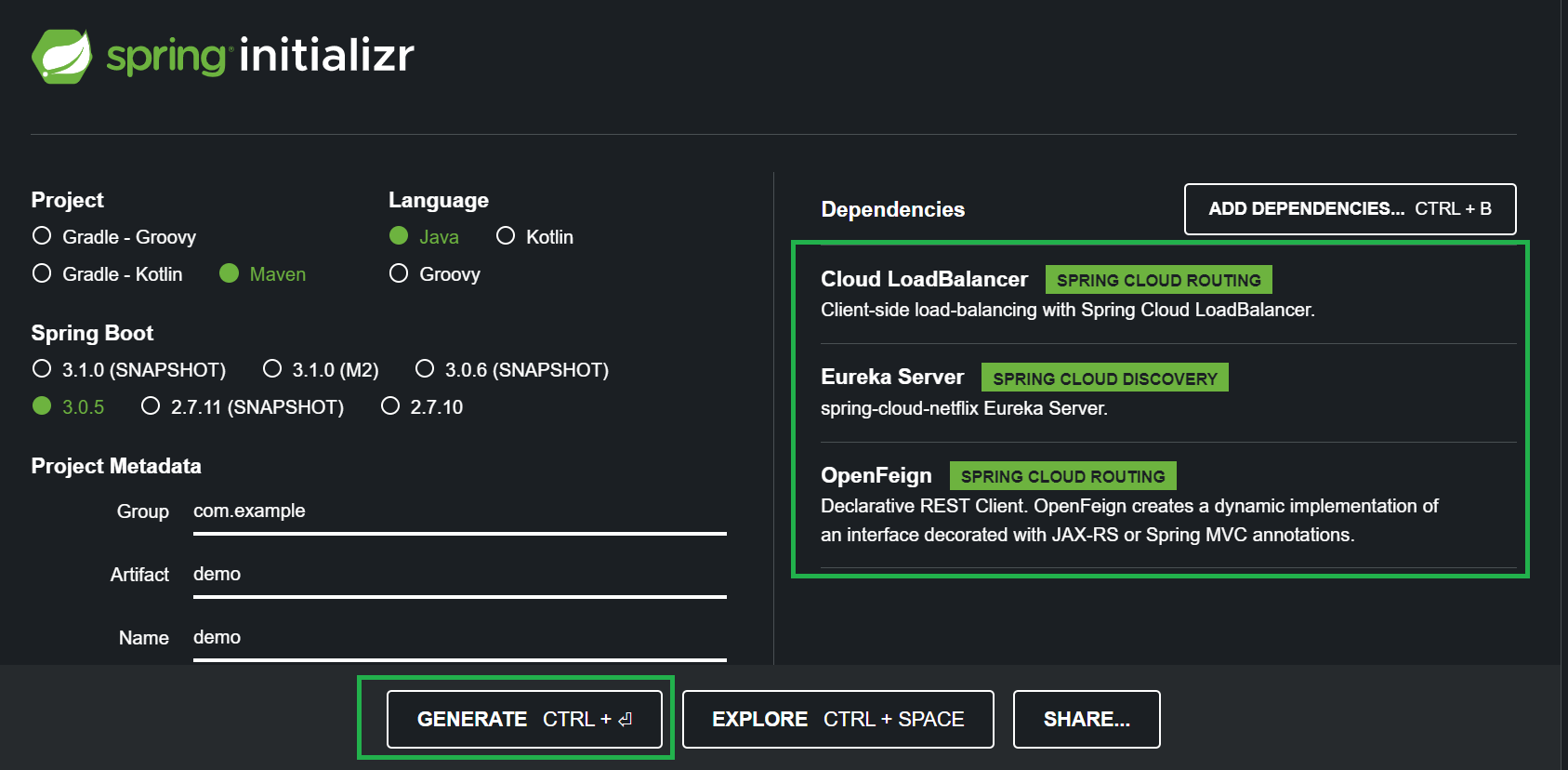
Step 5: Generate the Project:
Click Generate. A .zip file containing your project will be downloaded.
Step 6: Import in IDE
Extract the .zip file and open it in your preferred IDE. The project will have all the necessary configurations to start building Spring Cloud-based microservices.