
Face extraction involves detecting human faces in an image and saving them as separate image files. OpenCV provides Haar Cascade classifiers that can detect faces efficiently in images, enabling automatic extraction and storage of multiple faces.
Functions and Methods Used
1. Haar Cascade Face Detection: Used to detect faces in an image by recognizing patterns of facial features. Below is the syntax of detectMultiScale() function:
detectMultiScale(image, scaleFactor, minNeighbors)
Parameters:
- image: Input image (grayscale or color)
- scaleFactor: Factor to scale the image at each step (e.g., 1.1)
- minNeighbors: Minimum number of neighboring rectangles to retain a detection
2. Image Reading and Writing: Used to load images from disk and save processed images back to disk. Below is the syntax of imread() and imwrite() function:
cv2.imread(path)
cv2.imwrite(path, image)
Parameters:
- path: File path to read or save the image
- image: Image object to be saved
3. Array Slicing: Used to extract or crop a specific region from an image, such as a detected face.
face = img[y:y+h, x:x+w]
Parameters:
- x, y: Top-left coordinates of the rectangle
- w, h: Width and height of the rectangle
Python Implementation
The following code demonstrates how to detect multiple faces from an image and save them individually into a folder with dynamic names.
Note: For this we will use a sample image "grouppic.jpg", to download click here.
import os
import cv2 as cv

img = cv.imread('grouppic.jpg')

classifier = cv.CascadeClassifier('haarcascade_frontalface_default.xml')
faces = classifier.detectMultiScale(img, 1.1, 5)

def save(frame, folder_name):
    if not os.path.exists(folder_name):
        os.makedirs(folder_name)
    name_img = len(os.listdir(folder_name)) + 1
    path = folder_name + "/IMG_" + str(name_img) + '.png'
    cv.imwrite(path, frame)
    print(path, 'is saved.')

for (x, y, w, h) in faces:
    face = img[y:y+h, x:x+w]
    cv.imshow('Face', face)

    key = cv.waitKey(0)
    if key == 13:          # Enter key
        save(face, 'People')
    elif key == 127:       # Delete key
        pass

cv.destroyAllWindows()
Output
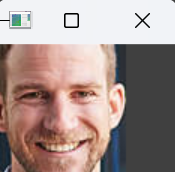
Each detected face appears in a separate window, where pressing Enter saves the cropped face in the folder "People" and pressing Delete skips saving, saved files are named dynamically as IMG_1.png, IMG_2.png and so on.


Explanation:
- cv2.imread('grouppic.png'): Loads the input image.
- cv.CascadeClassifier('haarcascade_frontalface_default.xml'): Loads the pre-trained Haar Cascade classifier for face detection.
- detectMultiScale(img, 1.1, 5): Detects all faces in the image and returns coordinates (x, y, w, h).
- face = img[y:y+h, x:x+w]: Crops the face region from the image.
- cv.imshow('Face', face): Displays the cropped face window.
- cv.imwrite(path, face): Saves the cropped face to the folder People.
- len(os.listdir(folder_name)) + 1: Ensures each face image has a unique name to avoid overwriting.
- cv.waitKey(0): Waits for a key press to either save or skip the face.