
Flask runs on port 5000 by default, but one can change it by specifying a different port while running the application. This is useful when the default port is unavailable or when running multiple apps.
Changing the Port
One can change the port by passing the port parameter in the app.run() method:
app.run(port=8001)
You can also combine it with debug mode:
app.run(debug=True, port=8001)
Example: This example creates a Flask app and runs it on port 8001 instead of the default port.
from flask import Flask
app = Flask(__name__)

@app.route("/")
def hello_world():
    return "<p>Hello, World!</p>"

if __name__ == '__main__':
    app.run(debug=True, port=8001)
Output: application will run on http://127.0.0.1:8001/
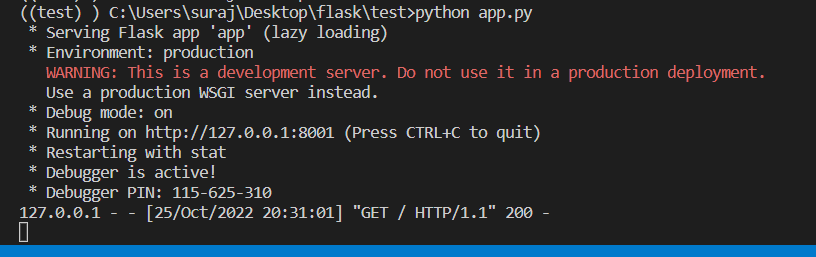

Explanation:
- Flask(__name__) creates the application instance
- @app.route("/") defines the home route
- app.run(debug=True, port=8001) runs the app in debug mode on port 8001