
Tornado is a robust, open-source web framework designed for building scalable and non-blocking web applications in Python. It was developed by FriendFeed (later acquired by Facebook) to handle long-lived network connections efficiently. Tornado is known for its high performance, simplicity, and asynchronous capabilities, making it an excellent choice for building real-time web applications.
In this article, we will explore Tornado through three code examples, ranging from a simple "Hello World" application to more advanced features like form submission and file uploads.
Tornado -Web Framework
Below, are the example of Tornado -Web Framework in Python.
Example 1: Hello World in Tornado
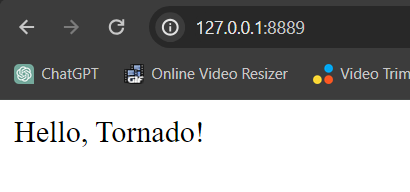
In this example, below Python script below uses the Tornado web framework to create a basic web application. It defines a handler that responds with "Hello, Tornado!" to a GET request at the root ("/") URL. The application listens on port 8888 and starts the Tornado I/O loop when executed.
import tornado.ioloop
import tornado.web

class MainHandler(tornado.web.RequestHandler):
    def get(self):
        self.write("Hello, Tornado!")

def make_app():
    return tornado.web.Application([(r"/", MainHandler)])

if __name__ == "__main__":
    app = make_app()
    app.listen(8888)
    tornado.ioloop.IOLoop.current().start()
Run the Server
run the tornado server using below command
python script_name.py
Ouput :
Example 2: Form Submission in Tornado
app.py : Now, let's look at a more advanced example that involves handling form submissions. In this example, we create a form with an input field for the user's name. The Tornado handler retrieves the submitted data using self.get_argument and responds with a personalized greeting.
import tornado.ioloop
import tornado.web

class FormHandler(tornado.web.RequestHandler):
    def get(self):
        self.render("form.html")

    def post(self):
        name = self.get_argument("name")
        self.write(f"Hello, {name}!")

def make_app():
    return tornado.web.Application([(r"/form", FormHandler)])

if __name__ == "__main__":
    app = make_app()
    app.listen(8888)
    tornado.ioloop.IOLoop.current().start()
index.html : This HTML document defines a simple form with a "Name" input field and a submit button. It links to an external stylesheet ("style.css") for styling, setting the form's width and styling labels and inputs. The form is set to submit data to "/form" using the POST method.
<!DOCTYPE html>
<html>
<head>
    <title>Simple Form</title>
    <link rel="stylesheet" type="text/css" href="/static/style.css">
</head>
<style>
    /* style.css */
body {
    font-family: Arial, sans-serif;
    margin: 20px;
}

form {
    width: 300px;
}

label {
    display: block;
    margin-bottom: 5px;
}

input {
    width: 100%;
    margin-bottom: 10px;
}

</style>
<body>
    <h2>Simple Form</h2>
    <form action="/form" method="post">
        <label for="name">Name:</label>
        <input type="text" id="name" name="name" required>
        <br>
        <input type="submit" value="Submit">
    </form>
</body>
</html>
Run the Server
run the tornado server using below command
python script_name.py
Output :
.gif)
Example 3: File Upload in Tornado
app.py :This Tornado script sets up a file upload server with a single "/upload" route. The `UploadHandler` class handles GET requests by rendering an HTML upload form and processes POST requests by saving uploaded files to a 'uploads' directory. The server runs on port 8888.
import tornado.ioloop
import tornado.web

class UploadHandler(tornado.web.RequestHandler):
    def get(self):
        self.render("upload.html")

    def post(self):
        file = self.request.files['file'][0]
        filename = file['filename']
        with open(f"uploads/{filename}", 'wb') as f:
            f.write(file['body'])
        self.write(f"File '{filename}' uploaded successfully!")

def make_app():
    return tornado.web.Application([(r"/upload", UploadHandler)])

if __name__ == "__main__":
    app = make_app()
    app.listen(8888)
    tornado.ioloop.IOLoop.current().start()
upload.html : This HTML document creates a simple file upload form. It includes a title, a file input field within a form, and a submit button. The form is set to submit data to the "/upload" endpoint using the POST method, and the "enctype" attribute is set to "multipart/form-data" to handle file uploads.
<!DOCTYPE html>
<html lang="en">
<head>
    <meta charset="UTF-8">
    <meta name="viewport" content="width=device-width, initial-scale=1.0">
    <title>File Upload</title>
</head>
<body>
    <h1>File Upload</h1>
    <form action="/upload" method="post" enctype="multipart/form-data">
        <input type="file" name="file" required>
        <button type="submit">Upload</button>
    </form>
</body>
</html>
Run the Server
run the tornado server using below command
python script_name.py
Output:
Conclusion
Tornado's simplicity, performance, and asynchronous capabilities make it an excellent choice for developing modern web applications. Whether you are building a simple web service or a real-time application, Tornado's flexibility and scalability can meet your requirements. With its easy-to-understand syntax and powerful features, Tornado remains a popular choice among developers for creating efficient and responsive web applications in Python.