

SQL concepts and queries form the foundation of working with relational databases, enabling users to store, manage and retrieve structured data efficiently. By using SQL commands, users can perform operations like creating tables, inserting data, and querying information from databases.
SQL Database Operations
SQL database operations allow users to manage databases by creating, viewing, selecting, and deleting them efficiently.
1. Show Existing Databases
The SHOW DATABASES statement displays a list of all databases available on the SQL server.
Query:
SHOW DATABASES; Output:

2. Drop a Database
The DROP DATABASE statement is used to permanently delete an existing database along with all its data.
Syntax:
DROP DATABASE database_name;Query:
DROP DATABASE student;
SHOW DATABASES;
Output:

3. Create a Database
The CREATE DATABASE statement is used to create a new database in the SQL server.
Syntax:
CREATE DATABASE database_name;Query:
CREATE DATABASE bank;
SHOW DATABASES;
Output:

4. Use a Database
The USE statement selects a specific database so that all subsequent queries are executed within that database.
Syntax:
USE database_name;Query:
USE bank;Table Operations
Table operations allow users to manage tables within a database, including creating, viewing, modifying, and deleting table structures and data.
1. Create a Table
The CREATE TABLE statement is used to define a new table structure with specified columns and data types in a database.
Syntax:
CREATE TABLE table_name (
   column1 datatype,
   column2 datatype,
   ...
);
Query:
CREATE TABLE IF NOT EXISTS Employee (
   EmployeeID int,
   FirstName varchar(55),
   LastName varchar(55),
   Email varchar(150),
   DOB date
);
2. Show Tables
The SHOW TABLES statement displays all tables present in the currently selected database.
Syntax:
SHOW TABLES;Query:
SHOW TABLES;3. Drop a Table
The DROP TABLE statement is used to permanently remove a table and all its data from the database.
Syntax:
DROP TABLE table_name;Query:
DROP TABLE Employee;4. Insert Data into a Table
The INSERT INTO statement is used to add new records into a table.
Syntax:
INSERT INTO table_name (col1, col2, ...)
 VALUES (val1, val2, ...);
Query:
INSERT INTO Employee  (EmployeeID, FirstName, LastName, Email, DOB)

VALUES (1111, 'Dipak', 'Bera', 'dipakbera@gmail.com', '1994-11-22');
5. Fetch Data from a Table
The SELECT statement is used to retrieve data from a table in a database.
Syntax:
SELECT * FROM table_name;Query:
SELECT * FROM Employee;Constraints in SQL
SQL constraints are rules applied to table columns to ensure data accuracy, consistency, and integrity within a database.
1. NOT NULL Constraint
The NOT NULL constraint ensures that a column cannot store NULL values when inserting or updating data.
Syntax:
CREATE TABLE table_name (
  column1 datatype NOT NULL,
  column2 datatype,
  ....
);
2. UNIQUE Constraint
The UNIQUE constraint ensures that all values in a column are distinct and prevents duplicate entries.
Syntax:
CREATE TABLE table_name (
   column1 datatype UNIQUE,
   column2 datatype
);
Query:
CREATE TABLE demo_table (
   EmployeeID int NOT NULL UNIQUE,
   FirstName varchar(55),
   LastName varchar(55)
);
Keys in SQL
Keys in SQL help uniquely identify records in a table and maintain relationships between tables, ensuring data integrity.
1. PRIMARY KEY
The constraint PRIMARY KEY ensures that entries should be neither null nor duplicate corresponding to the specified column.
Syntax:
CREATE TABLE table_name (
   column1 datatype,
   ...
   PRIMARY KEY (column1)
);
Query:
CREATE TABLE IF NOT EXISTS Customer (
   CustID int NOT NULL,
   FName varchar(55),
   LName varchar(55),
   Email varchar(100),
   DOB date,
   CONSTRAINT customer_custid_pk PRIMARY KEY (CustID)
);
2. FOREIGN KEY
The FOREIGN KEY is used to build a connection between the current table and the referenced (parent) table.
Syntax:
CREATE TABLE table_name (
   column1 datatype,
   ...
   FOREIGN KEY (column_name) REFERENCES parent_table (parent_column)
);
Query:
CREATE TABLE Account (
   AccNo int NOT NULL,
   AType varchar(20),
   OBal int,
   OD date,
   CurBal int,
  CONSTRAINT customer_AccNo_fk FOREIGN KEY (AccNo) REFERENCES Customer(CustID)
);
Query Clauses
Query clauses in SQL are used to filter, group, sort, and control the results returned by a SELECT statement.
1. ORDER BY Clause
The ORDER BY clause is used to sort query results in ascending or descending order based on one or more columns.
Syntax:
SELECT column1, column2, ...
FROM table_name
ORDER BY column1 ASC|DESC;
Scenario 1 : Ascending Order
Suppose we have the Account Table as follows.

Now, we will use the Order By command as follows.
SELECT * FROM Account ORDER BY CurBal; Output:

By default it will be in increasing order.
Scenario 2: For descending order
SELECT * FROM Account ORDER BY CurBal DESC;Output:

2. GROUP BY
The GROUP BY clause groups rows that have the same values in specified columns and is commonly used with aggregate functions like COUNT, SUM, and AVG.
Syntax:
SELECT column_name, COUNT(*)
FROM table_name
GROUP BY column_name;
Query:
SELECT AType, COUNT(AType)
FROM Account
GROUP BY AType;
Output:

3. WHERE Clause
The WHERE clause is used to filter records and return only those rows that satisfy a specified condition.
Syntax:
SELECT column1, column2
FROM table_name
WHERE condition;
Query:
SELECT AccNo, CurBal
FROM Account
WHERE CurBal >= 1000;
Output:

4. HAVING Clause
The HAVING clause is used to filter grouped results based on aggregate conditions, typically used with the GROUP BY clause.
Syntax:
SELECT column1, aggregate_function(column2)
FROM table_name
GROUP BY column1
HAVING condition;
Query:
SELECT AccNo, MAX(CurBal) AS MaxBalance
FROM Account
GROUP BY AccNo
HAVING MAX(CurBal) > 0;
Output:

Join Concepts
JOINs are used in SQL to combine rows from two or more tables based on a related column, enabling data retrieval across multiple tables.
1. LEFT JOIN
LEFT JOIN keyword returns all records from the left table (table1) along with the matching records from the right table (table2).

Syntax:
SELECT column_name(s)
FROM table1
LEFT JOIN table2
ON table1.column = table2.column;
2. RIGHT JOIN
RIGHT JOIN keyword returns all records from the right table (table2) along with the matching records from the left table (table1).

Syntax:
SELECT column_name(s)
FROM table1
RIGHT JOIN table2
ON table1.column = table2.column;
3. INNER JOIN
An INNER JOIN only returns rows where there is a match in both tables.
- If a row in Table A has no corresponding match in Table B, it is excluded.
- It represents the intersection of two sets of data.

Syntax:
SELECT column_name(s)
FROM table1
INNER JOIN table2
ON table1.column = table2.column;
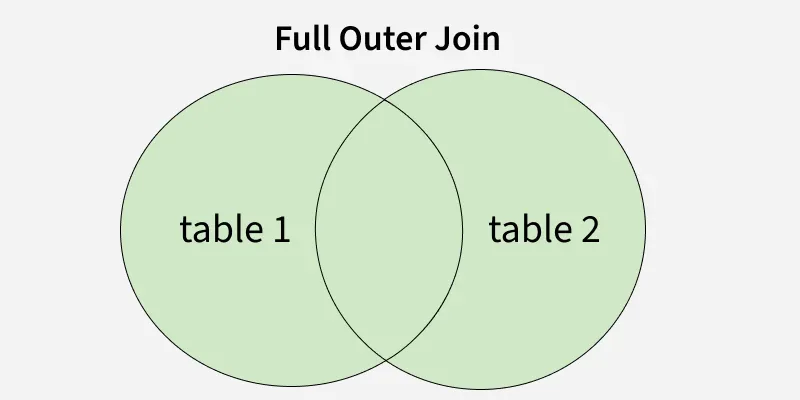
4. FULL JOIN
FULL JOIN or FULL OUTER JOIN keyword returns all records from both the table.
Syntax:
- Standard SQL:
SELECT *
FROM table1
FULL OUTER JOIN table2
ON table1.column = table2.column;
- MySQL Alternative:
SELECT *
FROM table1
LEFT JOIN table2 ON table1.column = table2.column
UNION
SELECT *
FROM table1
RIGHT JOIN table2 ON table1.column = table2.column;
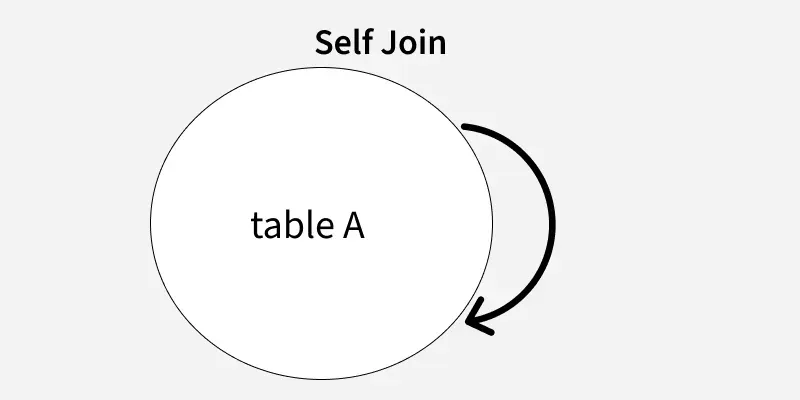
5. SELF JOIN
A SELF JOIN is used to join a table with itself by using aliases, allowing comparison of rows within the same table.
Syntax:
SELECT T1.column_name, T2.column_name
FROM table1 T1
JOIN table1 T2
ON T1.some_column = T2.some_column;