
File handling is one of the most essential features of the C programming language, enabling programs to store, read, and manipulate data stored in files. Two of the simplest yet most commonly used functions for character-level file operations are fgetc() and fputc(). These functions allow you to read from and write to files one character at a time, making them ideal for parsing text, copying files, or performing low-level file operations.
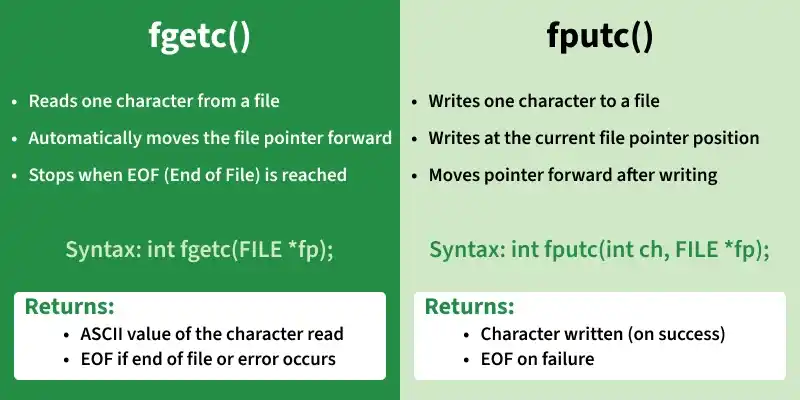
1. fgetc(): Reading a Character from a File
fgetc() is used to read a single character at a time from a file.
- It returns the ASCII value of the character read.
- After reading, the file pointer moves to the next character automatically.
- When the end of the file is reached or if an error occurs, the function returns EOF.
Syntax:
int fgetc(FILE *pointer);
Parameter:
- pointer → A
FILE*that identifies the file stream to read from.
How fgetc() Works:
- Reads the character at the current file pointer position.
- Moves the pointer to the next character.
- Continues until EOF.
Important Notes About EOF:
- EOF is not a character, it is a constant defined as
-1in<stdio.h>.- The value
-1helps differentiate between valid characters (ASCII 0–255) and the "end of file" / error state.
// C program to illustrate fgetc() function
#include <stdio.h>

int main ()
{
    // open the file
    FILE *fp = fopen("test.txt","r");

    // Return if could not open file
    if (fp == NULL)
      return 0;

    do
    {
        // Taking input single character at a time
        char c = fgetc(fp);

        // Checking for end of file
        if (feof(fp))
            break ;

        printf("%c", c);
    }  while(1);

    fclose(fp);
    return(0);
}
Output:
The entire content of file is printed character by
character till end of file. It reads newline character
as well.
2. fputc(): Writing a Character to a File
fputc() writes a single character to a file.
- The file pointer determines where the character will be written.
- After writing, the pointer automatically moves to the next position.
- If the write is successful, the function returns the character written.
- If an error occurs, it returns EOF.
Syntax:
int fputc(int char, FILE *pointer);
Parameters:
- char → The character to write (automatically promoted to
int). - pointer → A
FILE*to the output stream.
// C program to illustrate fputc() function
#include<stdio.h>
int main()
{
    int i = 0;
    FILE *fp = fopen("output.txt","w");

    // Return if could not open file
    if (fp == NULL)
      return 0;

    char string[] = "good bye", received_string[20];

    for (i = 0; string[i]!='\0'; i++)

        // Input string into the file
        // single character at a time
        fputc(string[i], fp);

    fclose(fp);
    fp = fopen("output.txt","r");

    // Reading the string from file
    fgets(received_string,20,fp);

    printf("%s", received_string);

    fclose(fp);
    return 0;
}
Output:
good bye
When fputc() is executed characters of string variable are written into the file one by one. When we read the line from the file we get the same string that we entered.