
This free Online Javascript Formatter/Beautifier allows you to edit, view, analyze, beautify, and format JavaScript code.
Steps to Use the JS Formatter
To use this online JS beautifier, follow the given steps:
Step 1. Input the JavaScript code in the first box. You can write the code, copy and paste it, or upload the JavaScript code file.
Step 2. Click on the format button to format JavaScript code.
Step 3. The tool will now format the JavaScript code. Depending on the size of the code, the time may vary, but it is usually done within seconds.
Step 4. The formatted JavaScript code will be shown in the second box. You can review the results and check if they are up to your needs.
JavaScript Formatter Example
The images below show how our JavaScript formatter beautifies JavaScript code:
Unformatted JavaScript Code
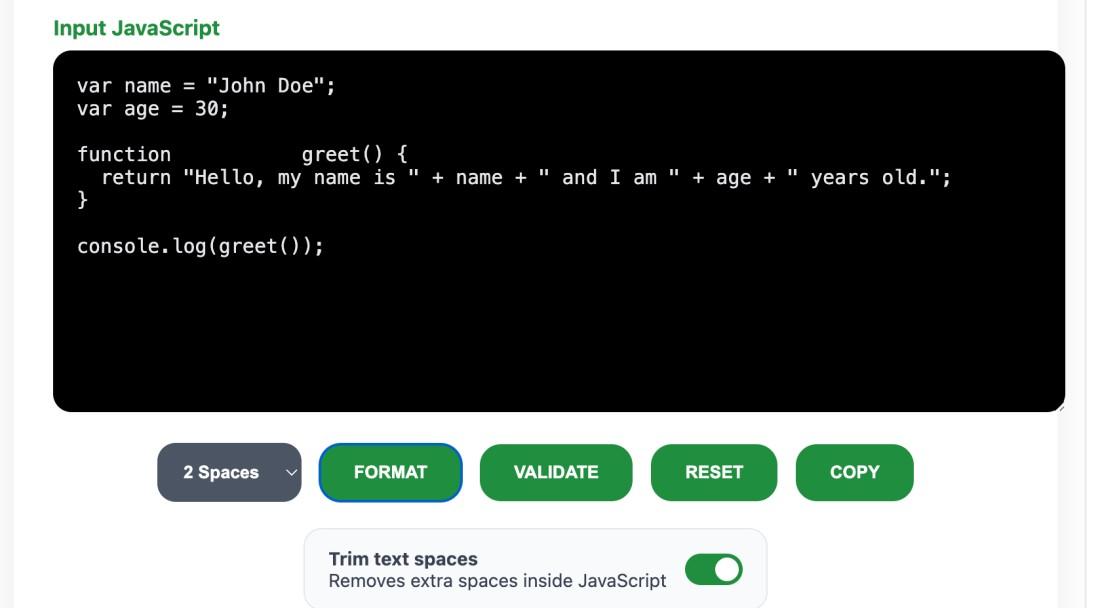
Formatted JavaScript Code

As you can see, the tool has removed unnecessary spaces, and line breaks and fixed the indentation.
Key Features
Here are some key features of our JavaScript Online Formatter:
- Support Multiple Input Options : Our online JavaScript formatter provides multiple options to give input. Users can either write the code, copy and paste it from the source, or upload the file directly.
- Free to Use: This JavaScript beautifier tool is free to use for an infinite number of times. You can use the "reset" button and start the formatting process from the first step.
- No Sign-up Required : Our tools do not ask users to log in or sign up to use this JavaScript formatter. Just visit the tool, and use it any number of times.
- Data Security : Our tool is completely safe to use. We do not store your uploaded JavaScript code files and do not ask for any personal information.
Advantages of Using JavaScript Formatter
This Javascript formatter is very amazing tool to beautify your JavaScript code. It can be used as JavaScript editor and Javascript viewer.
Our Free JavaScript Formatter can help you fix:
- Indentation: Adds clear indents to code blocks for better clarity.
- Spacing: Maintains uniform spacing around operators, parentheses, and brackets.
- Line Breaks: Places line breaks strategically for improved organization