
A Business Card is a type of professional visiting card that is provided to the person in order to establish further contacts or networking for collaboration. Business cards are essential as they form an integral part in defining a person's identity & his/her designation. In this article, we will learn how to design a Business Card in Figma.
What is Business Card Design?
A business card is a small card that has your name, job title, company, and contact information on it. It's used to give people a quick and easy way to remember you and contact you later. Business cards are often exchanged during meetings, networking events, and business functions. They help make a good impression and keep your contact details handy for future connections.
How to Create a Business Card in Figma?
Front Design
Step 1. Create a Base Frame
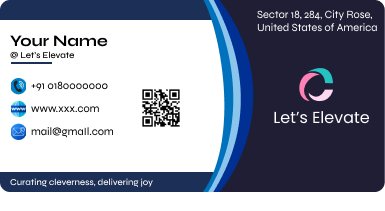
Create a frame of white color & in that add a few artistic elements such as horizontal lines in the top & bottom of the frame. Also add few twisted vertical lines in the middle of the frame & keep a colored rectangular beside for further design improvisation.

Step 2. Add Name and Company
Start by adding the name of the business card holder & the company name underneath. Do not forget to also align the rectangle well in the right side of the frame to give it a modern look.

Step 3. Add Logo for the Company
Add the logo of the company in the extreme left & also write it's name. Also, add a tagline for the business card holder & place it at the bottom of the card.

Step 4. Add Other Details
Add icons of phone, website & email and add the respective details beside them.

Step 5. Add Rest Details with good placement
Add a QR Code for scanning purposes & finally add an address in the top rightmost side and here's your final design:
Final Design:
Back Design
Step 1. Create a Base Frame
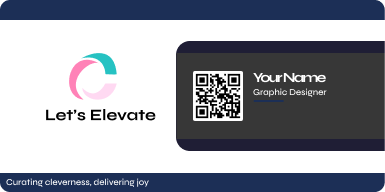
Create a white frame & add two horizontal lines in the top & bottom.

Step 2. Add name and logo of the company
Add the name of the company along with it's logo in the left side.

Step 3. Add a design element.
Add a rectangular design element in the right side of grayish color or black.

Step 4. Add name and other details
Add the QR Code and the name and designation of the card holder.
Step 5: Add some design elements to make it look better
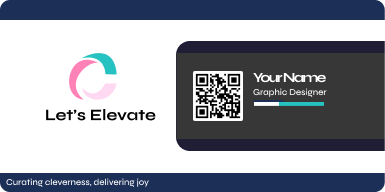
Finally, add a few more lines horizontally to improvise the design & here's your final design:
Final Design:
Key tips to design a Business Card
- An Appropriate Design Template: A proper design template must be selected for a business card as it may require professionalism, or sometimes an appealing catchy & casual design. A template provides an insight about how the business card must look like & designing ideas can be taken from them.
- A Good Logo: A good logo always attracts customers as it helps in establishing a brand of the website. A good company logo is an asset to the business card as it helps in increasing the interactivity of the user with the website.
- Catchy Tagline: Every person has his/her own tagline. And a good tagline ensures an interactivity & creativity with the viewer. It helps in increasing engagement & easily highlights your brand & company.
- Proper & Required Contact Details: A business card must contain all possible means to contact the owner of the card. This ensures networking & collaborative opportunities for people & helps in creating opportunities.
- QR Code: QR Codes help in establishing connections through e-commerce websites, or personal portfolios & this can be achieved by creating a QR Code and placing it in an ordered manner in the design.
Conclusion
Using the above approaches to design, one can easily design a modern & professional business card using Figma to achieve a good and enhanced personality look through the card.