Email protocols are standardized rules that govern how emails are sent, received, and accessed over the Internet. They define how mail servers and clients (like Outlook or Gmail) communicate with each other to ensure reliable message delivery.
 Email Protocols
Note: Email protocols establish communication between the sender and receiver for the transmission of email. Email forwarding includes components like two computers sending and receiving emails and the mail server.
Types of Email Protocols
Three basic types of email protocols involved for sending and receiving mails are:
 Types of Email Protocol
1. SMTP (Simple Mail Transfer Protocol)
Simple Mail Transfer Protocol is used to send mails over the internet. SMTP is an application layer and connection-oriented protocol. SMTP is efficient and reliable for sending emails. SMTP uses TCP as the transport layer protocol. It handles the sending and receiving of messages between email servers over a TCP/IP network.
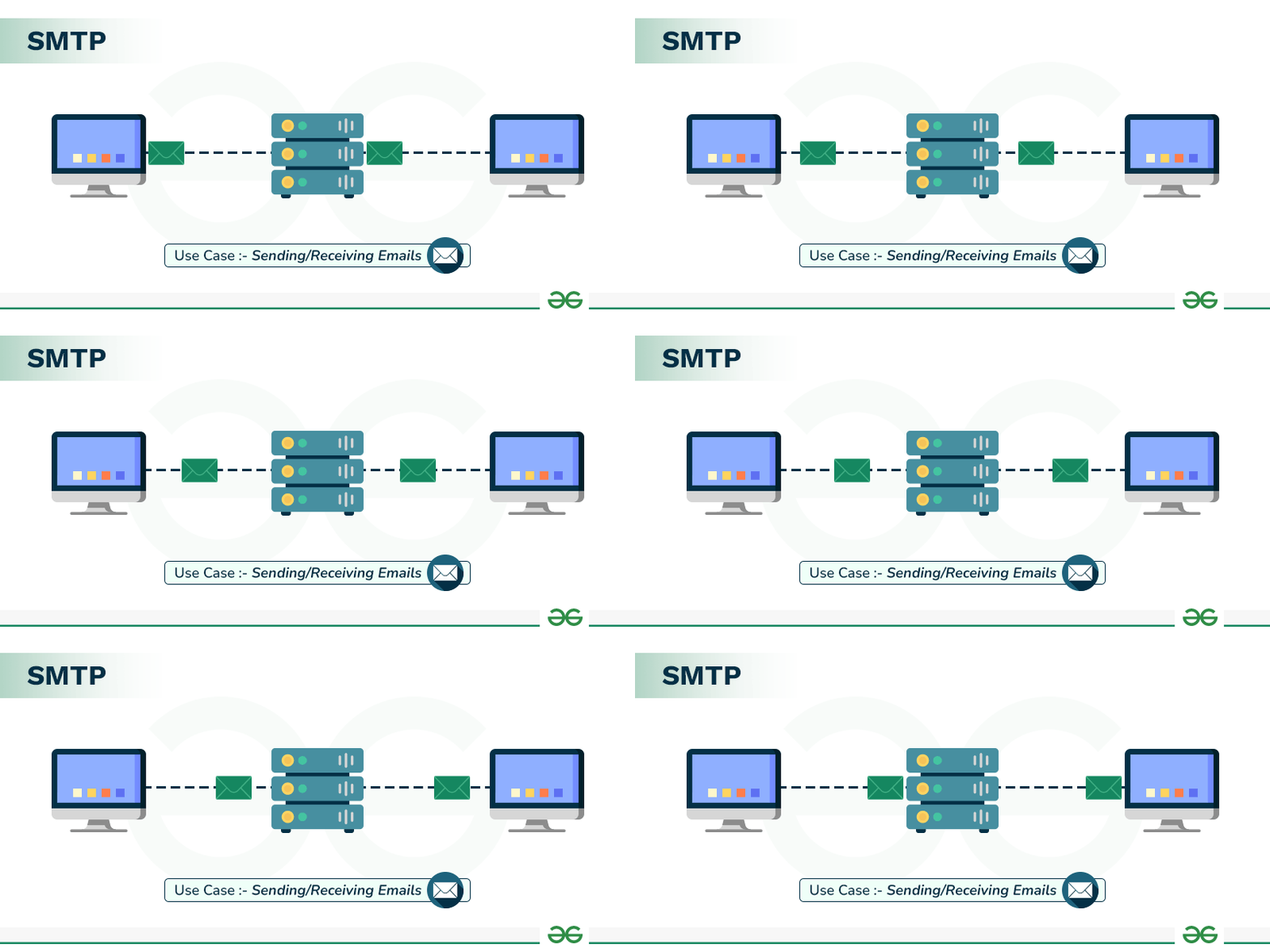 Simple Mail Transfer Protocol
- This protocol along with sending emails also provides the feature of notification for incoming mails.
- When a sender sends an email then the sender's mail client sends it to the sender's mail server and then it is sent to the receiver mail server through SMTP.
- SMTP commands are used to identify the sender and receiver email addresses along with the message to be sent.
- Some of the SMTP commands are HELLO, MAIL FROM, RCPT TO, DATA, QUIT, VERIFY, SIZE, etc. SMTP sends an error message if the mail is not delivered to the receiver hence, reliable protocol.
Read more about Simple Mail Transfer Protocol (SMTP).
2. POP3 (Post Office Protocol)
Post Office Protocol is used to retrieve email for a single client. POP3 version is the current version of POP used. It is an application layer protocol. It allows to access mail offline and thus, needs less internet time. To access the message it has to be downloaded.
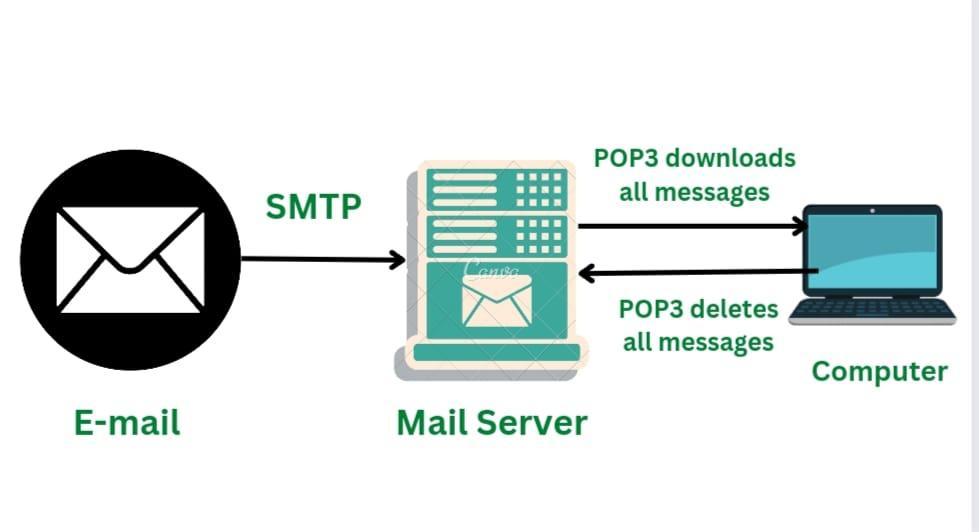 Post Office Protocol 3
- POP allows only a single mailbox to be created on the mail server.
- POP does not allow search facilities
- Some of the POP commands are LOG IN, STAT, LIST, RETR, DELE, RSET, and QUIT.
Read more about Post Office Protocol (POP3).
3. IMAP (Internet Message Access Protocol)
Internet Message Access Protocol is used to retrieve mails for multiple clients. There are several IMAP versions: IMAP, IMAP2, IMAP3, IMAP4, etc. IMAP is an application layer protocol. IMAP allows to access email without downloading them and also supports email download.
.gif) Internet Message Access Protocol
Internet Message Access Protocol- The emails are maintained by the remote server. It enables all email operations such as creating, manipulating, delete the email without reading it.
- IMAP allows you to search emails. It allows multiple mailboxes to be created on multiple mail servers and allows concurrent access.
- Some of the IMAP commands are: IMAP_LOGIN, CREATE, DELETE, RENAME, SELECT, EXAMINE, and LOGOUT.
Read more about Internet Message Access Protocol (IMAP).
Which protocol is responsible for sending emails from a client to a mail server?
Explanation:
SMTP handles the sending of outgoing emails between clients and mail servers.
Which protocol allows accessing email without downloading it and supports multiple clients accessing the same mailbox?
Explanation:
IMAP stores emails on the server and supports multi-device synchronized access.
In which email protocol are messages removed from the server after being downloaded (by default)?
Explanation:
POP3 downloads emails to the client and typically deletes them from the server afterward.
Which SMTP command is used to specify the sender’s email address?
Explanation:
MAIL FROM command tells the SMTP server who the sender of the email is.
Quiz Completed Successfully
Your Score : 2/4
Accuracy : 0%
Login to View Explanation
1/4
1/4
< Previous
Next >
Explore
Computer Network Basics
Physical Layer
Data Link Layer
Network Layer
Transport Layer
Session Layer & Presentation Layer
Application Layer
Advanced Topics
Practice