Antivirus and Threat Intelligence
Last Updated :
10 Oct, 2025
In today’s rapidly evolving cybersecurity landscape, the ability to detect and understand malicious files quickly is more important than ever. Antivirus and threat intelligence services play a crucial role in identifying potential threats, analysing their behaviour, and supporting timely incident response.
Understanding Antivirus & Threat Intelligence Services
Antivirus and threat intelligence services work hand in hand to keep systems secure. Antivirus software focuses on spotting and blocking harmful files or programs using different techniques like signature matching, behavior monitoring, and heuristic analysis. It acts like a security guard, constantly checking for anything suspicious.
While, threat intelligence services, on the other hand, collect and study information about potential cyber threats, such as how attacks happen, the tools used by attackers, and the signs that indicate a system might be compromised.
When used together, these services give a clearer picture of both what the threat is and how to respond to it. This combination helps security teams and learners not just react to attacks, but also understand and prevent them more effectively.
How Antivirus Works:
Antivirus programs protect your system by spotting and stopping malicious files before they can do harm. They mainly use three approaches:
- Signature-Based Detection – The antivirus checks files against its database of malware “signatures” and flags anything that matches. It’s very effective for known threats but can miss new or slightly modified malware. This is like having a list of known criminals.
- Heuristic Analysis – This method looks for suspicious patterns or behaviours in files, even if the exact malware hasn’t been seen before. Think of it as noticing someone acting suspiciously in a crowd.
- Behaviour-Based Detection – Here, the antivirus monitors running programs for harmful actions, like changing system files or connecting to unsafe servers. It can catch threats that signatures or heuristics might miss.
By combining these methods, antivirus software offers multiple layers of protection, but no method is perfect, which is why additional threat intelligence is so valuable.
Role of Threat Intelligence in Cybersecurity
While antivirus software catches known malware, threat intelligence helps us understand the bigger picture of cyber threats. It’s like having a map of the attacker’s moves: which tools they use, how they target systems, and the signs to watch for.
Threat intelligence can be technical (like malicious IP addresses or file hashes), tactical (attack techniques), operational (campaign details), or strategic (trends and forecasts). By studying this information, security teams can predict attacks, respond faster, and even prevent breaches.
In short, threat intelligence doesn’t just tell you a file is bad, it explains why it’s bad, how it works, and what to do about it. This makes it an essential complement to antivirus protection.
Step-by-Step Workflow: Analysing a Suspicious File
Here’s a typical step-by-step workflow to analyse a suspicious file effectively.:
- Collect the File or URL – Start with the suspicious file, hash, or link.
- Initial Scan – Use antivirus and threat intelligence platforms to check if the file is already known.
- Behavioural Analysis – Observe what the file does when executed in a safe, isolated environment. Does it create new files, change system settings, or connect to unknown servers?
- Correlate Findings – Compare scan results and behavioural observations. Look for patterns or unusual activity that confirms malicious behaviour.
- Document & Decide – Record your findings clearly and decide on the next steps, like quarantining the file or alerting a team.
Following this workflow ensures a structured approach rather than guessing, making threat detection more accurate and reliable.
Using VirusTotal, Hybrid Analysis & Any.Run
These platforms helps in analysing suspicious files safely:
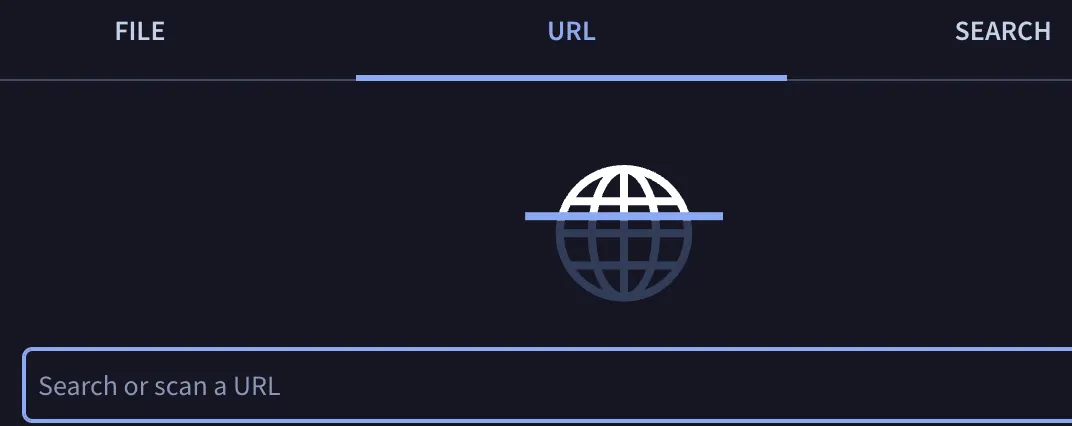
- VirusTotal: Upload a file, hash, or URL to get a report from multiple antivirus engines. It quickly shows if the file is already known as malicious and provides additional metadata.
- Hybrid Analysis: Runs the file in a sandboxed environment to show its behaviour — what processes it starts, files it creates, or network connections it makes.

- Any.Run (Report-Only Mode): Lets you view interactive behaviour reports without executing the file yourself. You can study its actions, dropped files, and network activity in a safe way.

These tools complement each other: VirusTotal gives quick detection, while Hybrid Analysis and Any.Run provide behavioural insight.
Interpreting Scan Results
When you scan a file using antivirus or threat intelligence platforms, the results can seem confusing at first. Here’s how to make sense of them:
- Detection Names: Different antivirus engines often give the same malware different names. For example, one may call it
Trojan.Generic, while another says W32.Malware.ABC. Focus on the overall pattern of detection rather than the exact label. - Engines: Some engines are more reliable than others. Major engines like Microsoft, Kaspersky, and Bitdefender carry more weight, while smaller engines may occasionally produce false positives.
- Behavioural Indicators: Beyond names, check what the file does: creating new files, modifying system settings, or connecting to unknown servers. Suspicious behaviour often confirms the file is malicious, even if detection names differ.
Differences in Antivirus Engines
Not all antivirus engines detect malware the same way. Each engine has its own signature database, heuristics, and detection techniques, which can lead to differences in results.
- Signature Databases: Each AV maintains its own collection of known malware signatures. A file detected by one engine may not be in another engine’s database yet.
- Heuristic & Behavioural Analysis: Engines use different algorithms to spot suspicious behavior. Some may flag unknown files as malware, while others may not.
- AI & Machine Learning: Some modern engines incorporate AI to predict malicious activity, which can result in varied detections.
- Update Frequency: Engines update their databases at different times, so a newly discovered threat may be detected by one engine by before others.
Understanding these differences helps analysts interpret results correctly and avoid over-relying on a single engine.
Antivirus and threat intelligence services are vital in today’s cybersecurity world. They provide detection, behavioural insights, and context that help analysts and learners make smarter decisions.
Example: Check a suspicious file with VirusTotal
1) Compute the file’s hash (don’t upload yet): On linxu used the below command for hash
sha256sum malware.exe

2. Look up the hash on VirusTotal
- Go to virustotal.com and paste the SHA-256 into the search bar and review:
- Detection ratio (e.g., 48/70 engines)
- Names used by engines (they often differ)
- Details (file type, size, PE info)
- Behavior/Relations (if available: contacted domains/IPs, dropped files)
- Community comments / votes

VirusTotal “Basic properties” panel. Go in details panel

Hashes (exact & similarity)
- MD5 / SHA-1 / SHA-256: Cryptographic fingerprints of this exact file.
• Use SHA-256 (fc6794d52e403e…) as the primary ID in tickets, threat intel lookups, and blocklists. - vhash: VirusTotal’s similarity hash (clustering look-alikes on VT). Pivot on this to find related variants.
- SSDEEP and TLSH: Fuzzy/similarity hashes for cross-repo correlation (YARA triage, retro hunts). Good for grouping mutated builds.
- imphash: Hash of the PE import table. Useful to cluster samples that import the same APIs (often same family).
- authentihash: Hash of the PE image used in Authenticode verification (stable across certain modifications).
- Rich PE header hash: Signature of the build toolchain (can help family/actor clustering).
File identity
- File type / Magic: PE32 executable (GUI) for Windows (Intel 80386) → a 32-bit Windows EXE with a GUI subsystem.
- TrID: Heuristic identification with probabilities (shows it’s a Win32 executable; the percentages are confidence, not prevalence).
- DetectItEasy (DIE):
- Library: AutoIt (3.X) → strongly suggests the payload is an AutoIt-compiled script (common for droppers/wrappers).
- Compiler/Linker: MSVC 17.00 / Linker 11.00.61030 → indicates a Microsoft Visual C/C++ toolchain was used (may be from the AutoIt stub or a packed stage).
- Magika / PEBIN: Confirms a PE binary.
- File size: ~1.24 MB (1298432 bytes) — size can help match families/versions.
Explore
Introduction to Ethical Hacking
Foot Printing and Reconnaissance
Scanning Networks
Enumeration
System Hacking
Malware Analysis
Sniffing
Social Engineering
Denial-of-Service
Session Hijacking