If you use online services, or websites (such as shopping websites or banking ) you usually see the screen that says "Enter Your Username." The username is the text that you enter to start the login process. sometimes it is not possible to create the same username for all the websites because not all websites and online services use the username in the same way.
In this article, we are going to discuss what a username is, why it's important, and how to create one.. we will also see what are the characteristics of a good username, and some of the key terms. Why don't all these Websites and online services use usernames the same way?
What is a Username?
A username is a name that is used to identify yourself on a website, computer, app, etc. We can also say a username is an identity for a user to distinguish him(or her)self from other users. In other terms, a username is also known as a sign-on name, screen name (screen name), and user nickname. this term comes in the 1970's.
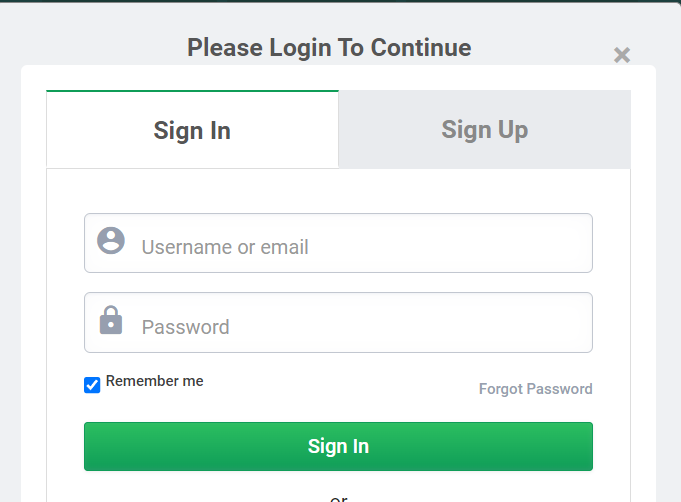 Example of username in in GeeksforGeekss
For example in GeeksforGeeks website when you want to login into your account you need to your username . GeeksforGeeks website also uses email as a username . When I say "account," it refers to any Web, Internet, or mobile service that requires you to use a username.
Example:
[email protected] , rohit0235 , devil65,BookLover123,PhotographyPro,GamerGuy88,etc
Creating a Username
Step-1: Identify the Purpose
first identify your purpose for what you are creating a username . it can be for personal use like gaming or for professional uses like linkdin. you can
Example- GuitarHero, SoccerStar, your_name.
Step-2: Use Numbers and Symbols
choose a letter, number, symbol and in front of your username . so that you create more unique username.
Example- rohit_21,iamRohit@,etc.
Step-3: Check if It's Available
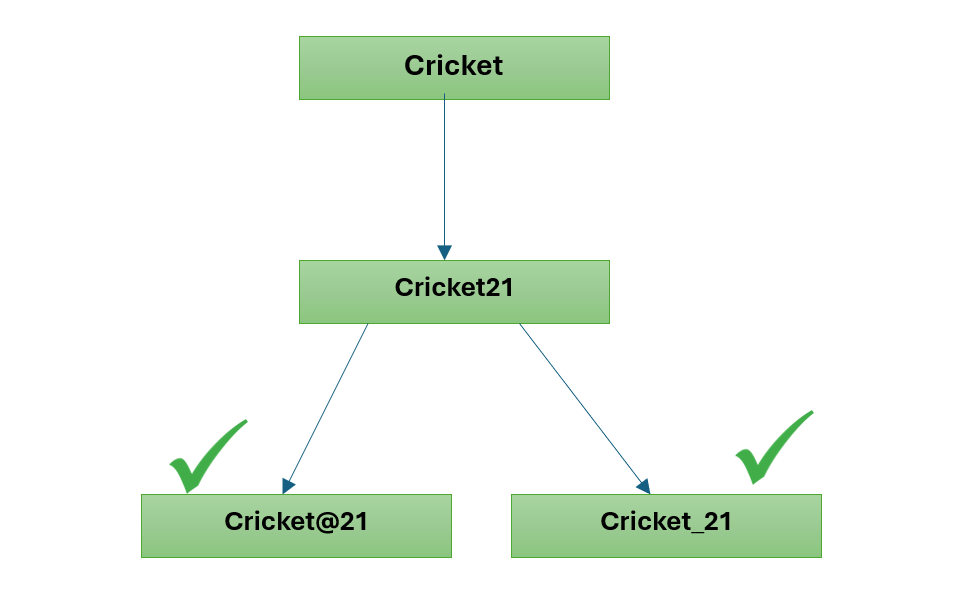 username
 Characteristics of Good Username
For creating a good username you can follow these rules:
- Keep It Short: A good username is not so lengthy. so try to make it short . you can make it in 8-12 characters. Example- Flame97!,
- Easy to spell: Pick words that are easy to spell so you don’t make mistakes. Example -GreenTree@8, Sunshine45,etc
- Easy to Remember: Use the words that you can easy recall and not easy forgettable. Example -RedCar_89, your_email,etc.
- Uniqueness of username: Uniqueness of username is very important . so choose the username which is not easy to guess. Example BookWorm!92,jetSki*77
Choosing a Username From Your Name
One easiest solution that fit all those rules would be your name. Shorten your name by taking prominent part of for your name.You might be thinking that those usernames would already be taken by now. Yes, that's true. But you can use simple tricks to create even cooler and more professional looking usernames. Below are some suggestions,
- iamRohit@
- writetoRohit@
- talktoRohit@
- connectwithRohit@
- chatwithRohit@
Why I Can't Use Username For Everything?
Some website and online services uses the email address for the username some don't. Technically may be approach can work services that don't use your email address for your username require you to create a new username with letters and numbers. the username whatever you create you can use for login. sometime the website or service may fix the number of characters or may necessary to make use of the special character (#,$,%,@) .
One reason for Why i can't use username for everything is that some online services identify you with an existing number or member ID. Things like a Social Security number, health care member ID, student ID, credit card number, auto-club membership, and bank account number are already used to identify someone or someone's account. As a result, sometimes some website will ask you to use that for your username.
Since your email address can be seen by anyone who receives an email from you, it's less secure than a separate username. As a result, Social Networking sites . Using an email address makes it easier to signup for the service since fewer steps are required to create an account with the service.
Conclusion
Username is worked as identity for the users which help to identify the users . Sometimes you may use a public computer or take from other .If you log in to any account and enter your username then one pop-up window will come which will ask you for the save your username and password .always select "NO" for your safety otherwise anyone can use your username and password. so your username isn't kept. In this case, your password is your last defense.