Git - A Lock File Already Exists In The Repository, Which Blocks This Operation From Completing
Last Updated :
20 Jun, 2024
Git is a powerful and widely used version control system that helps developers manage code changes. However, like any tool, it can sometimes present errors that need to be resolved. One such error is "A lock file already exists in the repository, which blocks this operation from completing." This article will explain what this error means, why it occurs, and how to fix it.
What Does This Error Mean?
When you encounter the message "A lock file already exists in the repository, which blocks this operation from completing," it indicates that a lock file has been created in your Git repository. Git uses lock files to prevent multiple operations from interfering with each other, ensuring the integrity of the repository. If a lock file is present, it means another operation was interrupted or hasn't been completed, causing subsequent operations to fail until the lock is removed.
Why Does This Error Occur?
- Interrupted Operations: If a Git operation (such as
git pull, git merge, or git rebase) was interrupted or terminated unexpectedly, the lock file may not be removed. - Simultaneous Operations: Running multiple Git operations simultaneously on the same repository can cause a conflict, resulting in a lock file being left behind.
- System Crashes: A system crash or abrupt shutdown while a Git operation is in progress can leave a lock file in place.
Steps to Reproduce the Error
- Add Local Repository. Choose Repository. Get redirected to create a new repository.
- Create a new repository in the project folder
- Commit(Try to) and get the error message: A lock file already exists in the repository, which blocks this operation from completing.
Expected Behavior: Commit goes through
Actual Behavior: Get Error Message: A lock file already exists in the repository, which blocks this operation from completing.
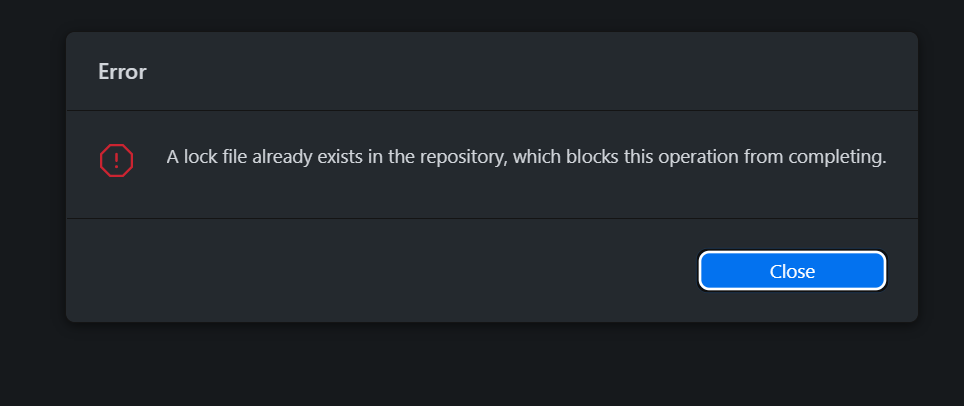 A Lock File Already Exists error
Error: If you go to commit your file in GitHub Desktop then you get this error.
We need to follow the below steps in order to solve the above ambiguity that is as follows depicted through visual aid for better understanding as here we are using GitHub Desktop:
Step 1: Open the folder in your system.
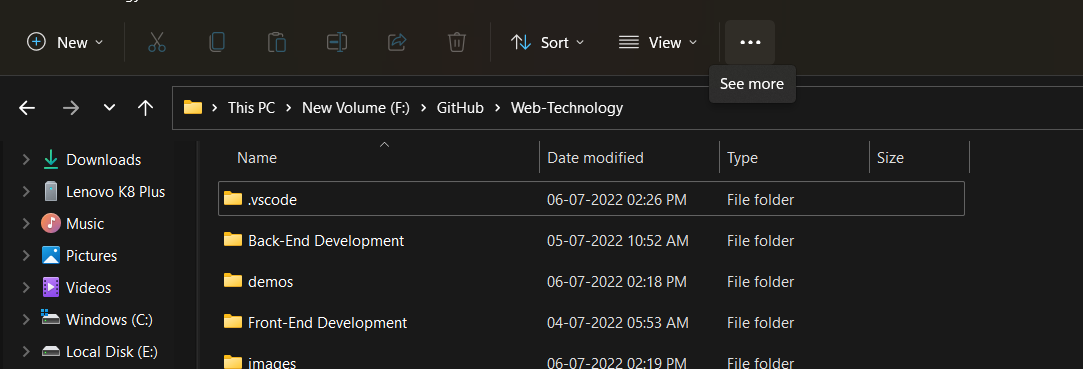 A Lock File Already Exists- open Folder
Step 2: Click on { 3. (…) after options }.
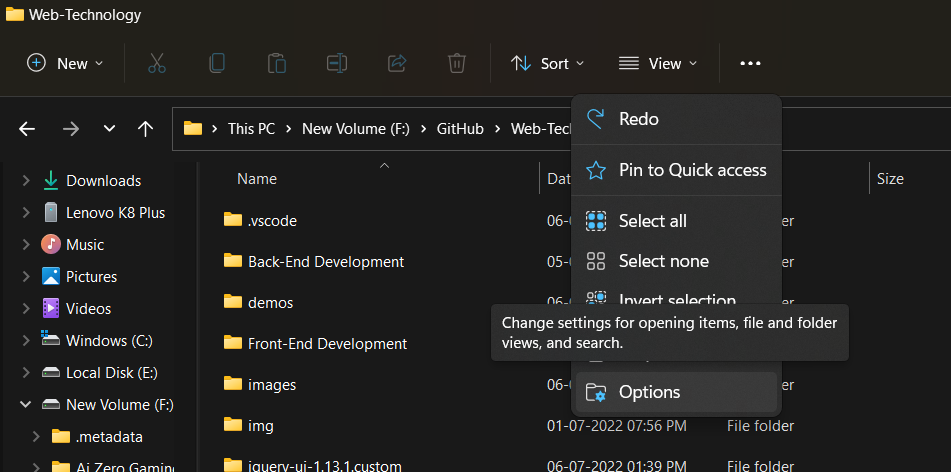 A Lock File Already Exists In The Repository, Which Blocks This Operation From Completing
Step 3: Click view
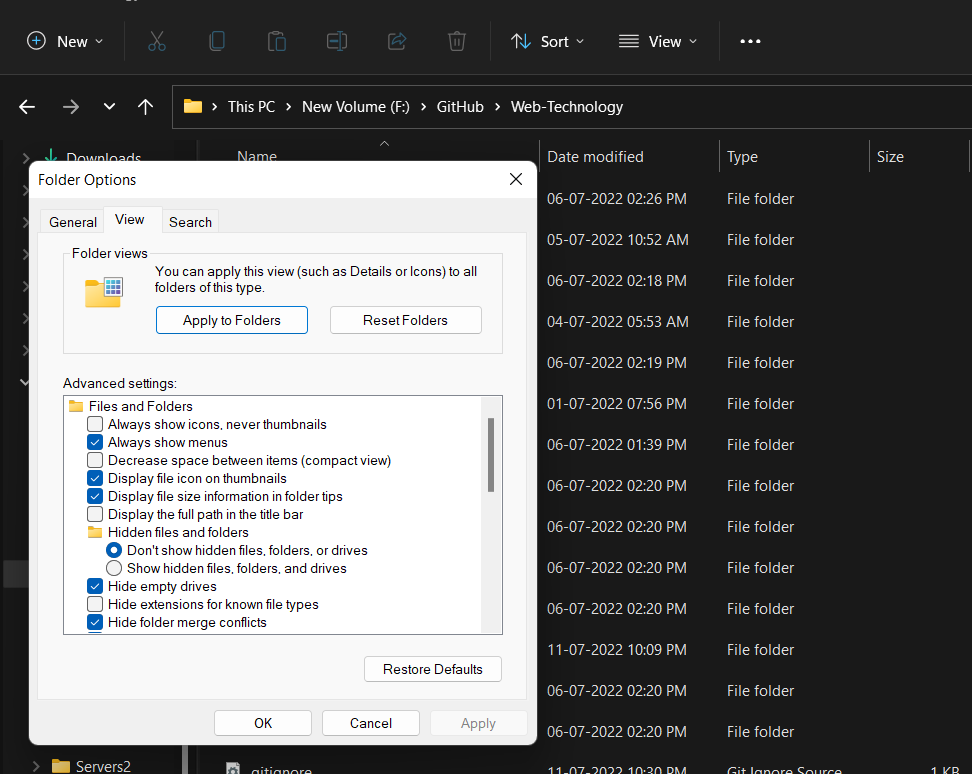 A Lock File Already Exists In The Repository, Which Blocks This Operation From Completing
Step 4: Hidden file and folder > Show hidden file and folder ( click on ) and click on ok.
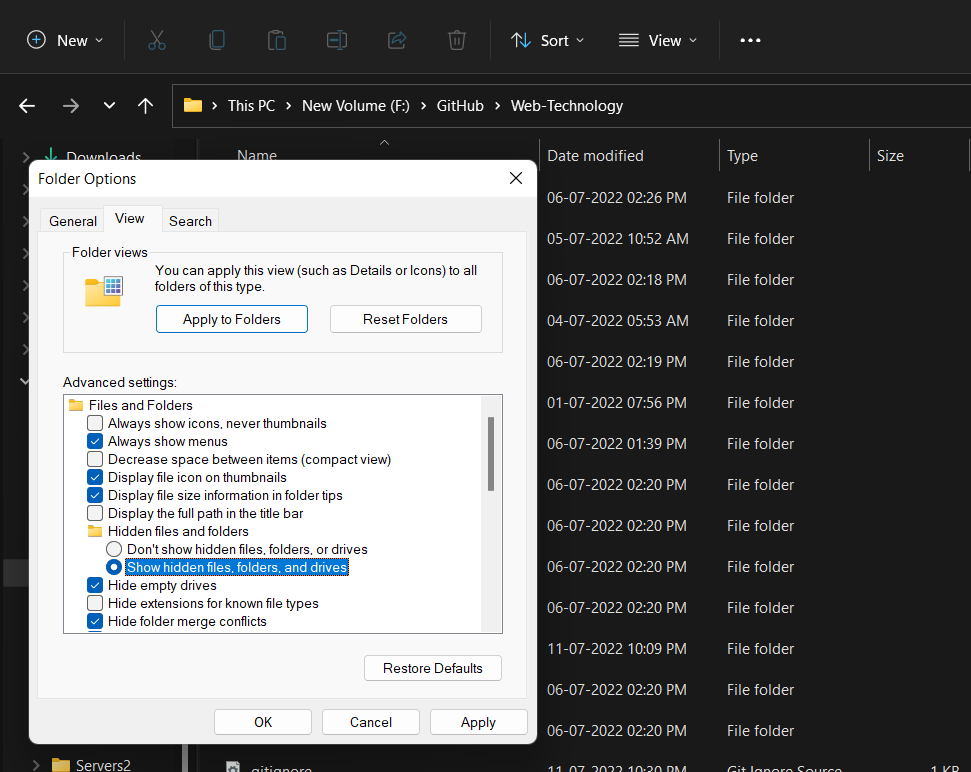 A Lock File Already Exists In The Repository, Which Blocks This Operation From Completing
Step 5: Open the .git folder and delete the index.lock.
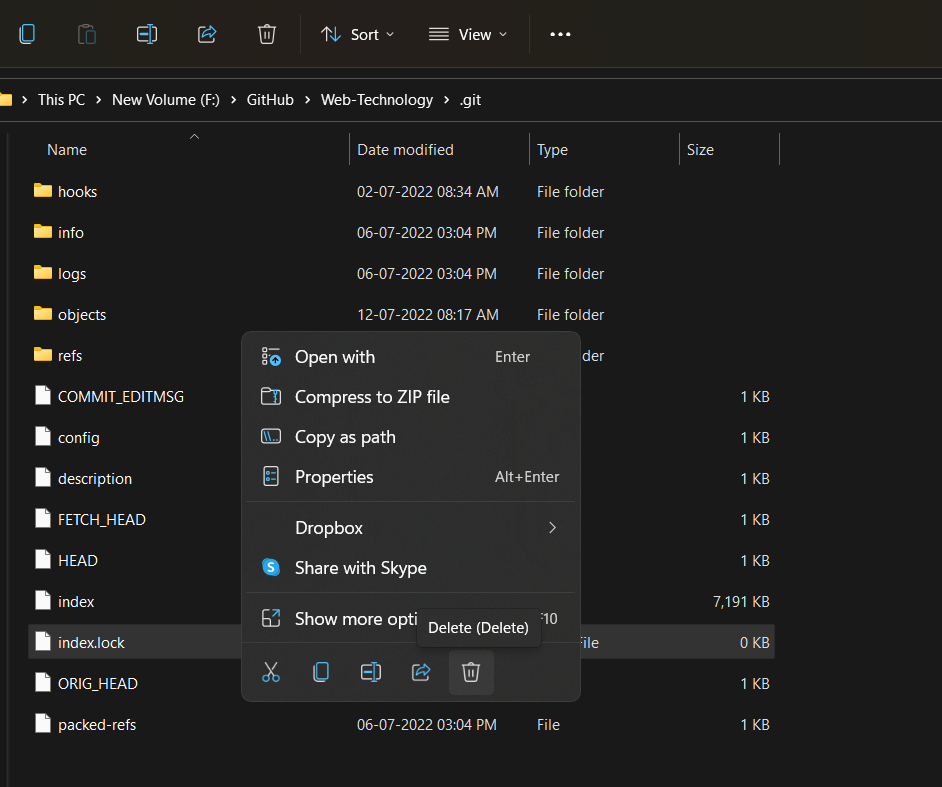 A Lock File Already Exists In The Repository, Which Blocks This Operation From Completing
Step 6: Now, open GitHub Desktop
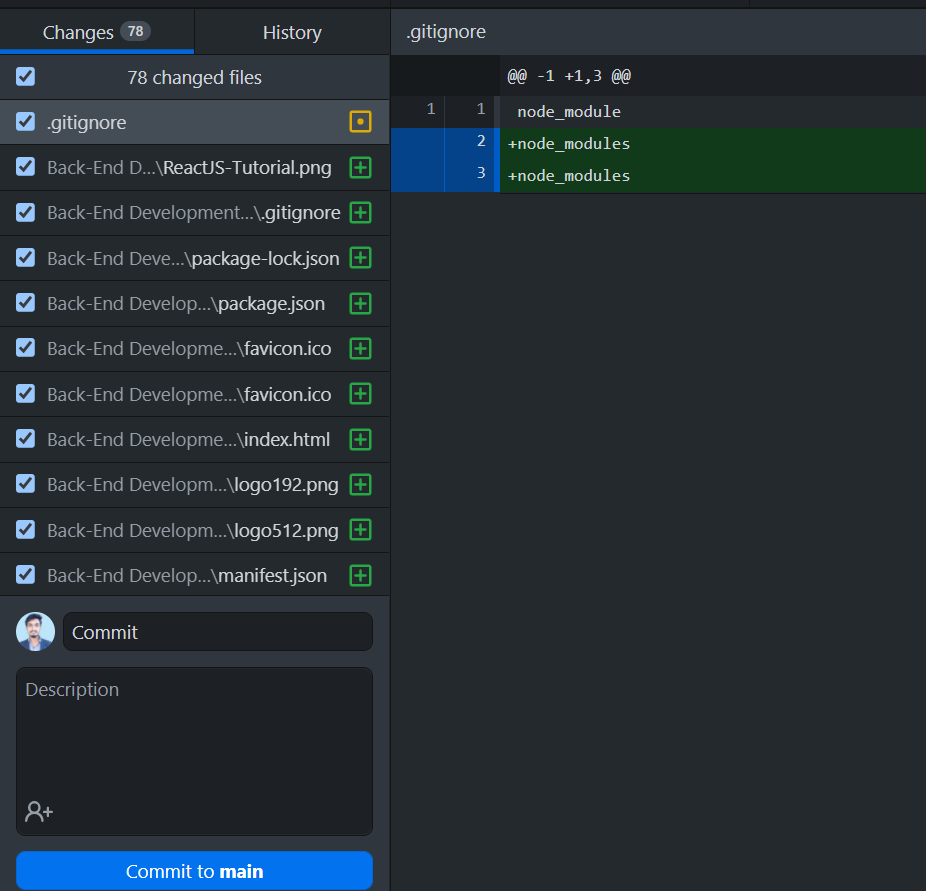 A Lock File Already Exists In The Repository, Which Blocks This Operation From Completing
Step 7: Click on the commit.
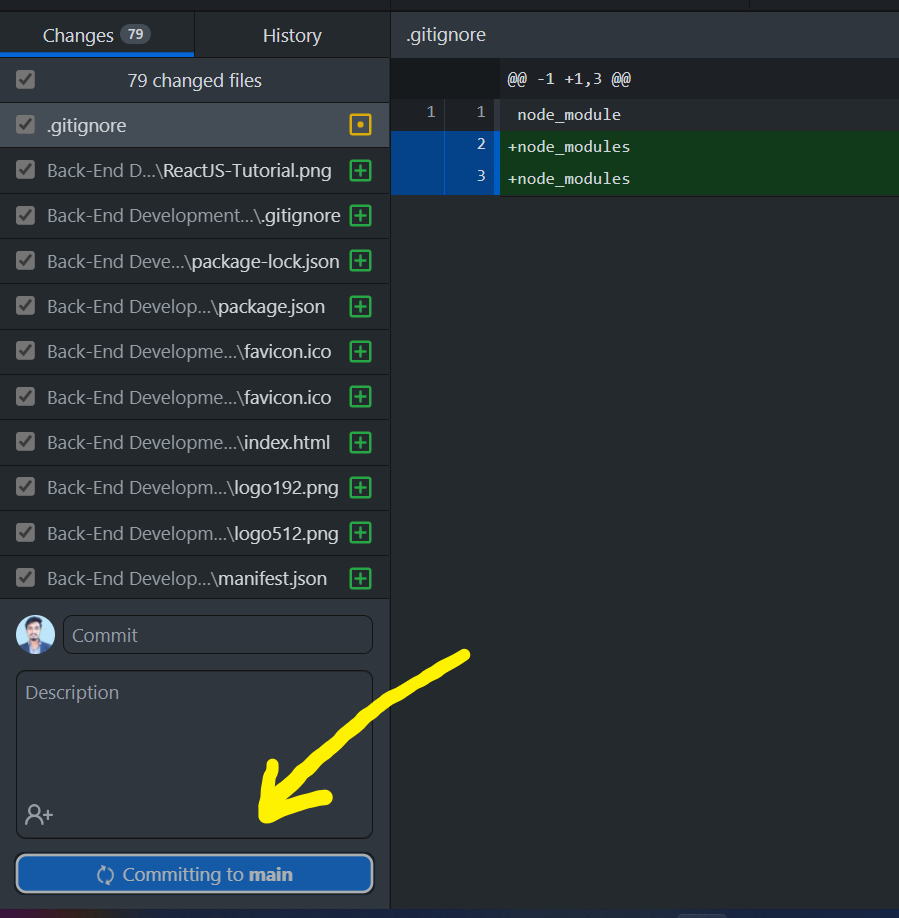 A Lock File Already Exists In The Repository, Which Blocks This Operation From Completing
As seen from the above media Commit goes through and our problem is solved earlier where we were getting an error message.
What does the error "A lock file already exists in the repository" indicate?
-
The repository is corrupted permanently
-
A Git operation is running and blocking others
-
The user has no write permissions
-
Explanation:
Git creates lock files to prevent multiple operations from interfering. When a lock exists, another process might still be active or previously stopped unexpectedly.
Which lock file typically causes this issue in Git repositories?
Explanation:
Git uses index.lock to ensure safe write operations. If it remains due to interruption, operations like commit fail with the error.
Which scenario commonly leads to leftover lock files?
-
Correctly finished merges
-
Multiple branches merging successfully
-
Sudden interruption during Git operations
-
Explanation:
Lock files are usually left behind after crashes, forced shutdowns, or incomplete operations, leading to this error.
What is the primary solution to fix this issue?
-
-
Delete the entire repository
-
Open .git folder and remove index.lock
-
Explanation:
Removing index.lock manually clears the blocking file, allowing commits and operations to continue normally.
In GitHub Desktop workflow, what must be enabled to locate and delete the lock file?
Explanation:
Since .git is a hidden directory, show hidden files must be enabled to access and delete index.lock.
Quiz Completed Successfully
Your Score : 2/5
Accuracy : 0%
Login to View Explanation
1/5
1/5
< Previous
Next >
Explore
Git Introduction
Git Installation and Setup
All Git Commands
Most Used Git Commands
Git Branch
Git Merge
Git Tools and Integration
Git Remote Repositories
Collaborating with Git
Advanced Git Commands