HTML | DOM Style transitionTimingFunction property
Last Updated :
05 Jun, 2022
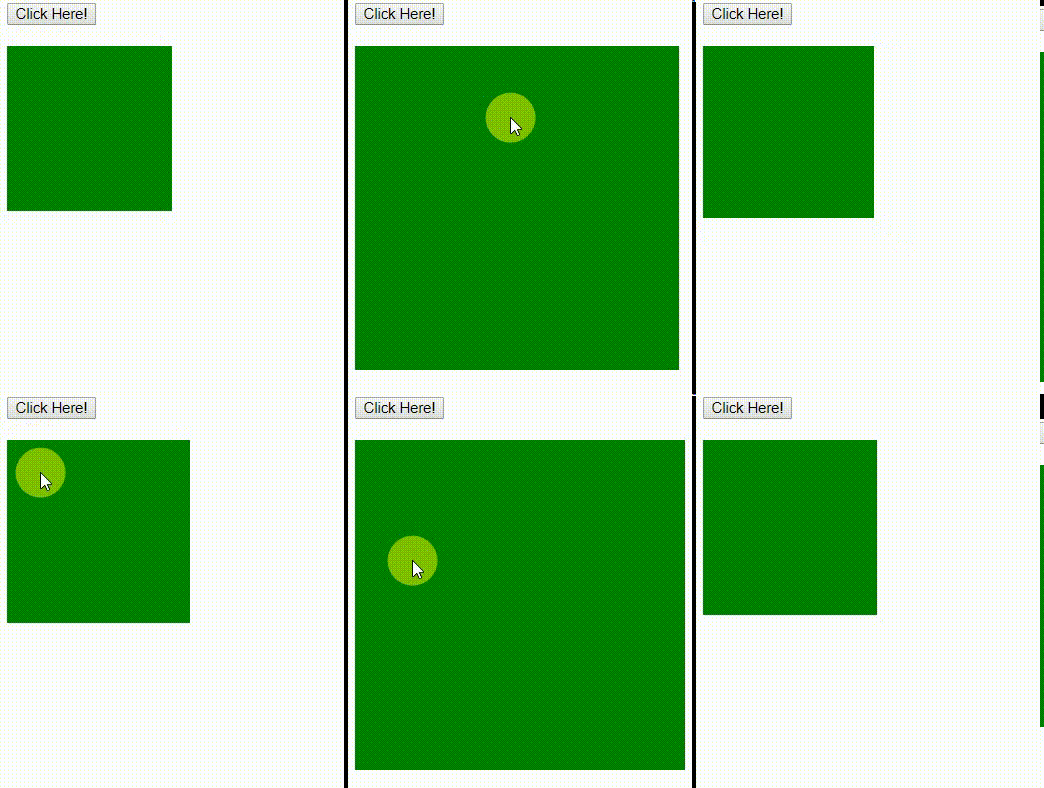
The DOM Style transitionTimingFunction property allows a transition effect to change speed over its duration. Transition effect provides a way to control animation speed when changing properties.
Syntax:
object.style.transitionTimingFunction = "ease|linear|ease-in|
ease-out|ease-in-out"
object.style.transitionTimingFunction
Return Values: It returns a string that represents the transition-timing-function property of an element
Property Values:
- ease: Specifies a transition effect that starts slowly, then fast, then slow.
- linear: Specifies a transition effect with the same speed from start to end.
- ease-in: Specifies a transition effect with a slow start.
- ease-out: Specifies a transition effect with a slow end.
- ease-in-out: Specifies a transition effect with a slow start and end.
Example 1: This example describes linear property value.
html
<!DOCTYPE html>
<html>

<head>
    <title>
        HTML | DOM Style transitionTimingFunction property
    </title>
    <style>

        #GFG {
          background-color: green;
          width: 150px;
          height: 150px;
          overflow: auto;

          /* For Safari Browser */
          -webkit-transition: all 2s;
          transition: all 2s;
        }

        #GFG:hover {
          width: 300px;
          height: 300px;
        }
    </style>
</head>

<body>

    <button onclick = "myGeeks()">
        Click Here!
    </button>

    <br><br>

    <div id = "GFG">
    </div>

    <script>
    function myGeeks() {

        /* For Safari Browser */
        document.getElementById("GFG").style.WebkitTransitionTimingFunction
                = "linear";
        document.getElementById("GFG").style.transitionTimingFunction
                = "linear";
    }
    </script>

</body>

</html>
Output:

Example 2: This example describes ease-in property value.
html
<!DOCTYPE html>
<html>

<head>
    <title>
        HTML | DOM Style transitionTimingFunction property
    </title>
    <style>

        #GFG {
          background-color: green;
          width: 150px;
          height: 150px;
          overflow: auto;

          /* For Safari Browser */
          -webkit-transition: all 2s;
          transition: all 2s;
        }

        #GFG:hover {
          width: 300px;
          height: 300px;
        }
    </style>
</head>

<body>

    <button onclick = "myGeeks()">
        Click Here!
    </button>

    <br><br>

    <div id = "GFG">
    </div>

    <script>
    function myGeeks() {

        /* For Safari Browser */
        document.getElementById("GFG").style.WebkitTransitionTimingFunction
                = "ease-in";
        document.getElementById("GFG").style.transitionTimingFunction
                = "ease-in";
    }
    </script>

</body>

</html>
Output:
Note: Use WebkitTransitionTimingFunction as a keyword in safari browser.
Supported Browsers: The browser supported by HTML | DOM Style transitionTimingFunction property are lited below:
- Google Chrome 26.0 and above
- Edge 12 and above
- Internet Explorer 10.0 and above
- Mozilla Firefox 16.0 and above
- Opera 12.1 and above
- Safari 9 and above
Explore
HTML Basics
Structure & Elements
Lists
Visuals & Media
Layouts & Designs
Projects & Advanced Topics
Tutorial References