The os module in Node.js provides operating system-related utility methods and properties. It helps retrieve system information such as CPU details, memory usage, and network interfaces, enabling you to write system-aware applications.
It provides functions to interact with the operating system. It provides the hostname of the operating system and returns the amount of free system memory in bytes.
- os.arch(): Returns the CPU architecture of the operating system (e.g., 'x64', 'arm').
- os.cpus(): Provides an array of objects describing each CPU/core installed.
- os.freemem(): Returns the amount of free system memory in bytes.
- os.homedir(): Returns the path to the current user’s home directory.
- os.hostname(): Returns the hostname of the operating system.
- os.networkInterfaces(): Returns a list of network interfaces and their details.
- os.platform(): Returns the operating system platform (e.g., 'linux', 'darwin').
- os.release(): Returns the operating system release.
- os.totalmem(): Returns the total amount of system memory in bytes.
- os.uptime(): Returns the system uptime in seconds.
Explore this Node.js OS Module Complete Reference to discover in-depth explanations, advanced usage examples, and expert tips for leveraging its features to optimize your Node.js applications and understand system-level details.
Features
- System Information: Provides insights into the system’s hardware and software environment.
- Resource Monitoring: Helps in monitoring memory usage and system performance.
- Platform Detection: Identifies the platform and version of the operating system.
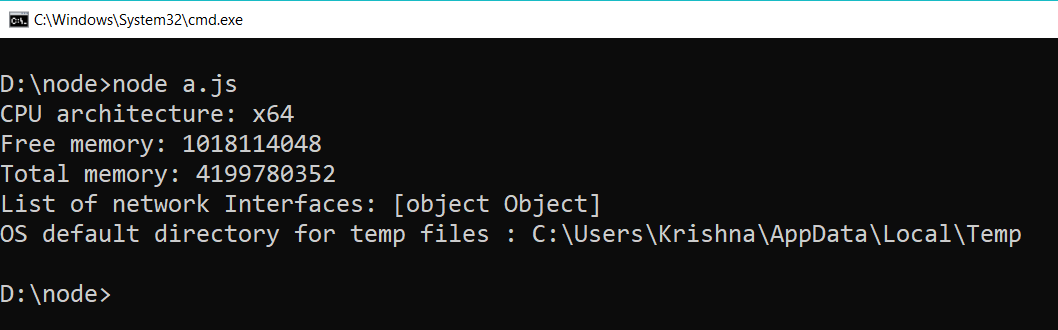
Example 1: This example uses Node.js os module to fetch and display system details and memory info.
JavaScript
// Include os module and create its object
const os = require('os');

// return the cpu architecture
console.log("CPU architecture: " + os.arch());

// It returns the amount of free system memory in bytes
console.log("Free memory: " + os.freemem());

// It return total amount of system memory in bytes
console.log("Total memory: " + os.totalmem());

// It returns the list of network interfaces
console.log('List of network Interfaces: ' + os.networkInterfaces());

// It returns the operating systems default directory for temp files.
console.log('OS default directory for temp files : ' + os.tmpdir());
Output:
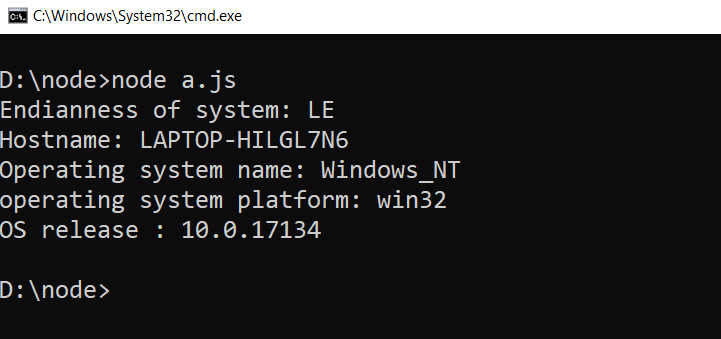
 Example 2: This code snippet uses Node.js os module to display the system's endianness, hostname, OS name, platform, and release information.
JavaScript
// Include os module and create its object
const os = require('os');

// return the endianness of system
console.log("Endianness of system: " + os.endianness());

// It returns hostname of system
console.log("Hostname: " + os.hostname());

// It return operating system name
console.log("Operating system name: " + os.type());

// It returns the platform of os
console.log('operating system platform: ' + os.platform());

// It returns the operating systems release.
console.log('OS release : ' + os.release());
Output:
Benefits
- Enhanced Functionality: Facilitates writing system-specific code.
- Performance: Allows monitoring and optimizing system resource usage.
- Cross-Platform Support: Ensures compatibility across different operating systems.
Summary
The os module in Node.js is a powerful tool for accessing and managing system information. It enables developers to create applications that are aware of the operating system’s characteristics, improving functionality and performance.
Explore
Introduction & Installation
Node.js Modules , Buffer & Streams
Node.js Asynchronous Programming
Node.js NPM
Node.js Deployments & Communication
Resources & Tools