How to Disable Virus Protection on Your Computer?
Last Updated :
23 Jul, 2025
If you need to disable virus protection on your computer, perhaps for troubleshooting or software installation, it's important to do so with caution. Turning off antivirus software can temporarily expose your system to threats, so it should be done only when necessary. This guide will walk you through how to disable antivirus and turn off virus protection settings to ensure you're aware of the risks and can manage your computer's security effectively.
How to Disable Virus Protection on Your Computer?
Windows Defender is a tool offered by Microsoft in all the installations of Windows NT Operating Systems. It is put in place to prevent Viruses and other malicious programs from attacking the Operating System. Therefore, Windows Defender is used to protect the Operating System's Integrity. But this also comes with its fair share of drawbacks such as:
- It consumes a lot of resources in the Background
- It isn't that good at detecting Malicious Payloads in contrast to Paid Antivirus programs
- It is enabled by default and requires a lot of effort to disable it permanently.
Step-by-Step Implementation
In this article, you will learn how to disable Windows Defender from a Windows Installation.
- Step 1: Open the Windows Start Menu by pressing the [Win] Key or clicking on the Windows icon on the bottom left of the desktop.

- Step 2: Type Windows Security

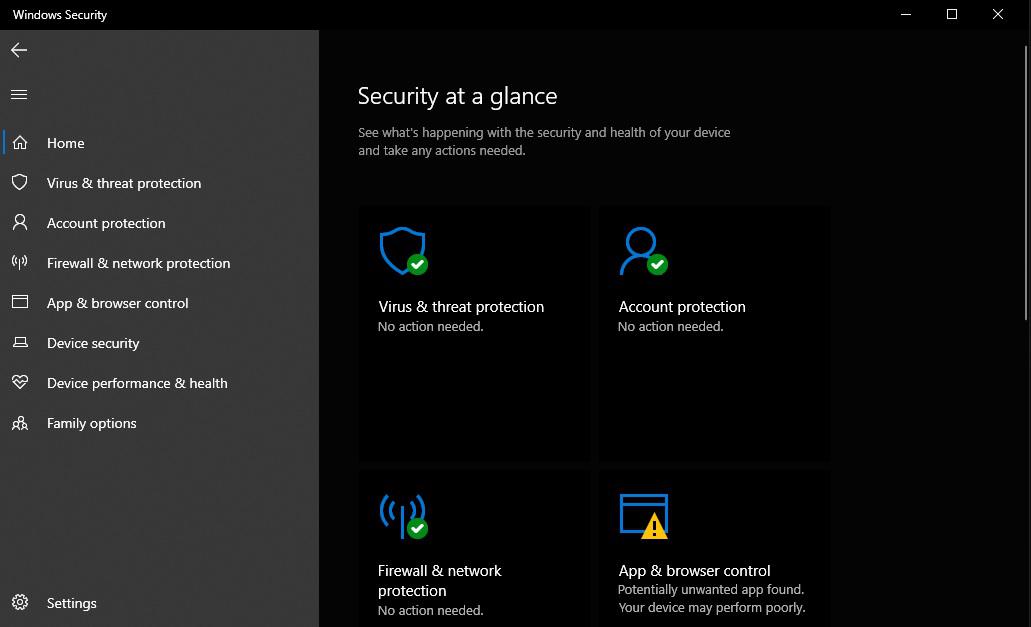
- Step 3: Now Open the Windows Security App by clicking it, or pressing the Enter key. A new window would have appeared similar to this:
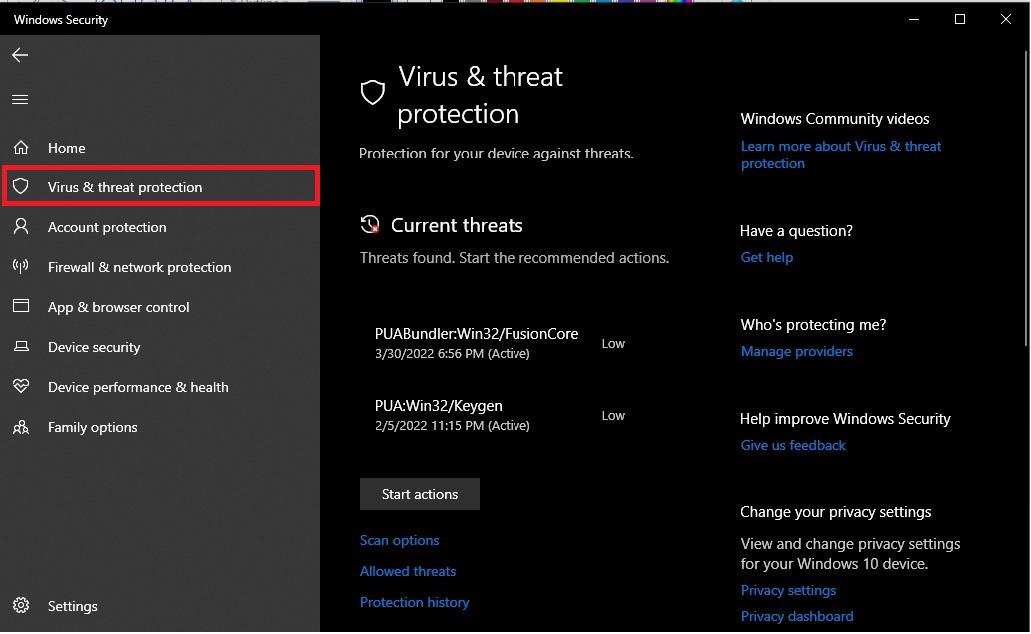
- Step 4: Now click on Virus and Threat Protection.
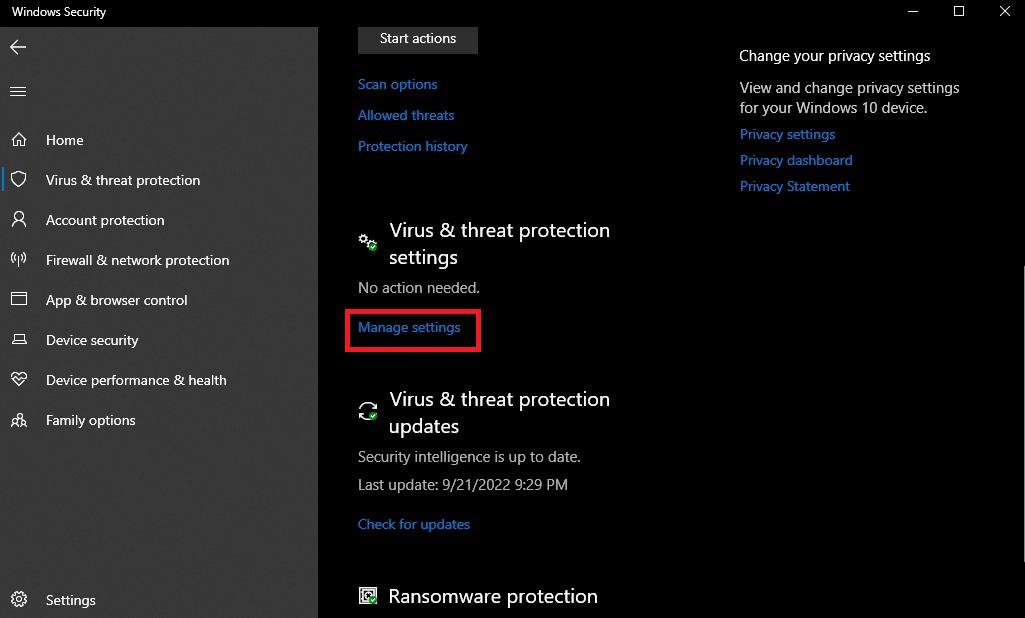
- Step 5: Now scroll down to the Virus and Threat Protection Settings, and click the Manage Setting option.
- Step 6: From there click on the Slider below Real-Time Protection
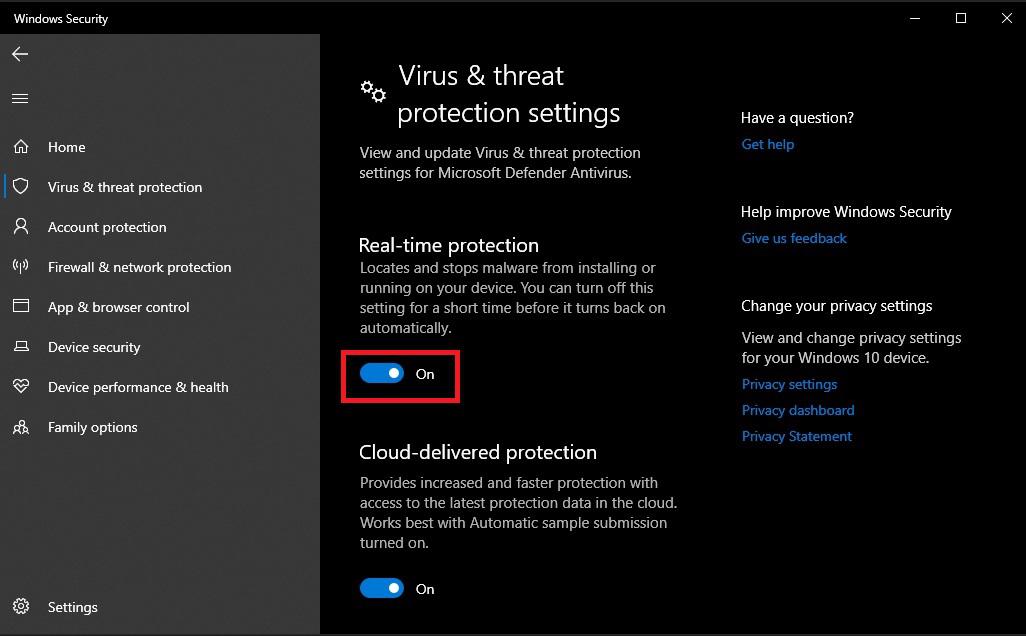
- Step 7: Now the real-time protection has been disabled on your OS.
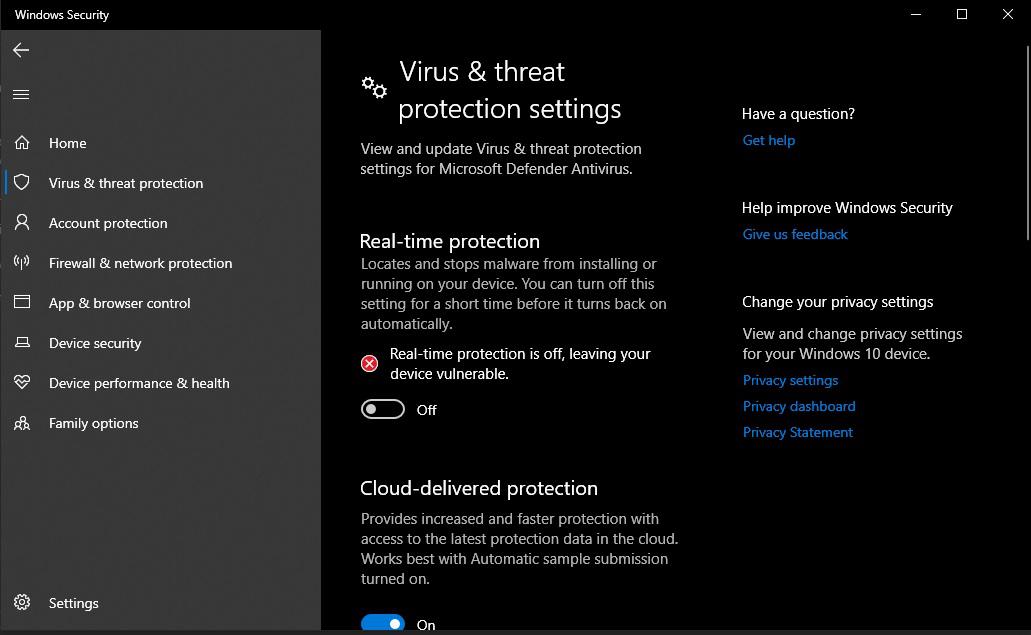
In this way, you can disable the Virus Protection on your Windows Operating System.
Conclusion
Disabling virus protection on your computer can be necessary for certain tasks, but it's crucial to re-enable it as soon as possible to maintain your system's security. By following the steps to turn off antivirus software and managing your computer security settings, you can ensure that you understand the implications of temporarily turning off virus protection and take appropriate measures to safeguard your system.
Explore
How To
MAC
AI Tools
Shortcut Key