The D. H. Hill Jr. Library is closed for electrical infrastructure repairs until August 1, 2025. Details and other places to study →
Updated May 8 1:17pm
The D. H. Hill Jr. Library is closed for electrical infrastructure repairs until August 1, 2025. Details and other places to study →
Updated May 8 1:17pm




Building: D. H. Hill Jr. Library (closed May 5 – Aug 1, 2025)
Floor: First Floor, East Wing
Room: 1133
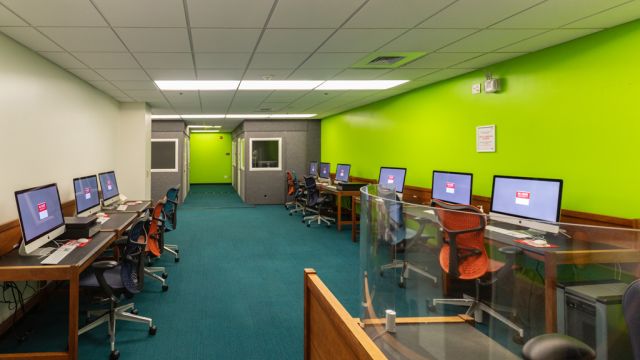
The Digital Media Lab (DML) has workstations with audiovisual editing software, scanners, video and audio editing decks, an enclosed studio with a green screen, and four audio booths.
The DML is staffed whenever it is open, meaning you can find drop-in consultation assistance for projects, technology, and more just by stopping by.
Make a reservation to reserve a media studio in the Digital Media Lab. (Reservations require an orientation.)
Only currently affiliated students, faculty, and staff of NC State may gain access to the Media Spaces. To do so, you must attend an orientation. Orientations are offered whenever the spaces are open, currently Sunday 12pm-8pm and Monday-Friday 10am-8pm. Orientations to reservable spaces can be completed online.
Media Spaces are intended for those creating, editing, or transferring media. You will be asked to forfeit your reservation if you are using them for reasons other than these. For more information on reservable study rooms, please see room use guidelines or find another appropriate study space.
You can make a reservation to use one of the studios. Orientations are required to reserve spaces. You can complete the Media Orientation online.
You must check in at the Digital Media Lab at the time of your reservation to gain admission to the room. Make sure you bring your Wolfpack One card should you need to check out additional items to enhance your reservation.
Conversation and chatter
Opens in your default email client
URL copied to clipboard.