
AI Photo & Picture Enhancer: Extract Subject, Unblur & Upscale
Turn crowded street snaps, blurry photos, and casual pictures into crystal-clear front-facing studio portraits in 1 click. Eliminates bystanders and background clutter so your AI dance and meme videos render with zero distortion.
AI Photo & Picture EnhancerVidTrend Image AI 5.0
Isolate main subject, purge bystanders, unblur, and upscale pictures online for flawless AI dance videos
Click to browse or drop your picture here
Supports crowded street snaps, group photos, casual portraits, and anime art (AI auto-isolates main subject)
Enhanced Photo Preview
Upload your picture on the left and select 1K or 2K resolution. Your enhanced picture with interactive split slider will appear here!
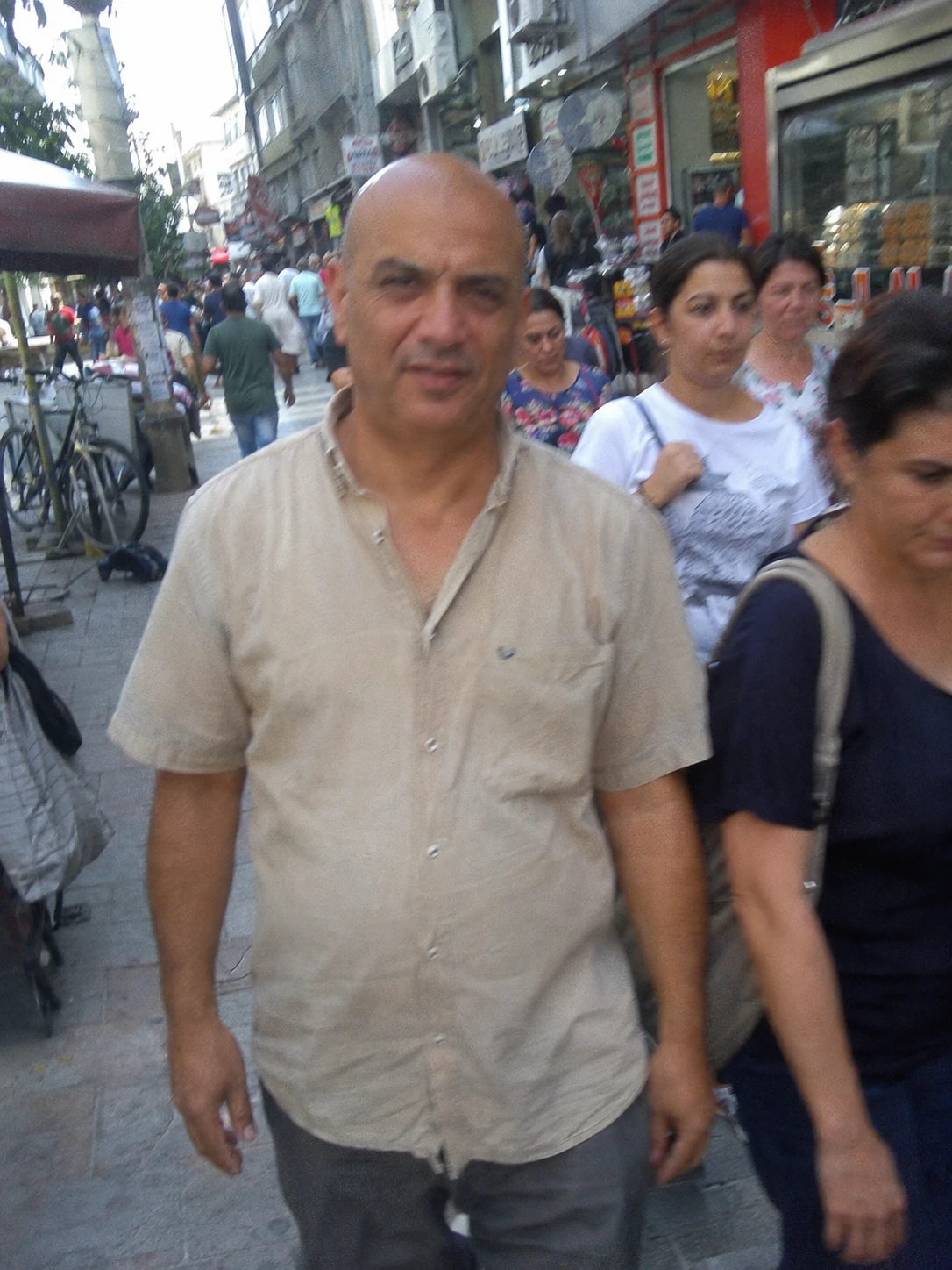

Why Photo & Picture Enhancement Dictates Your AI Video Quality
AI video motion transfer diffusion models generate choreographies by tracking key body and facial landmarks. Uploading crowded street snapshots, blurry pictures, or group photos forces the model to guess lost contours—causing extra limbs, warped faces, and wasted video generation credits. VidTrend AI Picture & Photo Enhancer isolates the primary character, purges background bystanders, and reconstructs a pristine studio-grade front-facing portrait in seconds.
1. Isolate Single Subject & Purge Crowd Clutter
Automatically strips out bystander faces, photobombers, and awkward street clutter, leaving an immaculate single character that video motion models track with 100% precision.
2. Front-Facing Centered Framing (Score 36 → 99)
Converts casual angled snapshots into balanced, front-facing upper body portraits. Direct eye line and clear shoulders eliminate facial glitching during wild dance moves.
3. Maximize Value: Zero Wasted Video Credits
AI dance videos consume 50–100 credits. Enhancing your picture for only 1 credit (1K) or 2 credits (2K Ultra HD) guarantees 1080P social-ready exports with zero failed attempts.
Why Enhance Photos & Pictures Before Making AI Videos?
AI video diffusion models generate choreographies by tracking key body points. Casual snapshots with multiple people or motion blur cause glitches and waste video credits. A clean reference picture guarantees flawless results.
Isolate Subject & Purge Bystanders
Automatically strips out background crowds, photobombers, and held clutter, isolating a pristine single character so video models never generate extra limbs or morphs.
Centered Front-Facing Framing
Reconstructs angled, casual snapshots into balanced upper-body studio portraits. Square shoulders and direct eye focus provide rock-solid anchors for fluid 60fps video dance motion.
Studio 2K Clarity & Micro-Textures
Eliminates motion blur and pixel noise. Reconstructs sharp eye pupils, natural skin pores, and clothing textures that blend seamlessly into trending choreographies.
Save Video Credits & Maximize ROI
Video generation costs 50–100 credits. Enhancing your picture for just 1–2 credits guarantees flawless first-try rendering, eliminating wasted credits on warped video exports.
How to Enhance Pictures and Animate in 3 Easy Steps
1. Upload Crowded or Blurry Picture
Upload any casual snapshot, street photo, group picture, or portrait. Our AI automatically identifies and extracts the main subject.
2. Fast AI Photo Enhancement
Choose 1K Standard (1 credit) or 2K Ultra HD (2 credits). In 10–25 seconds, VidTrend purges bystanders, removes clutter, and restores crystal-clear studio lighting.
3. Animate Picture to Viral Dance Video
Download your pristine 2K picture or click 'Make AI Dance Video' to transfer your new portrait directly into our video generator with 100% motion stability.
Ready to Turn Your Enhanced Pictures into a Viral Dance?
Use our motion transfer engine to bring your enhanced pictures and photos to life. Pick from trending TikTok choreographies or custom dance prompts with flexible 5s–30s durations.