
SMB protocol is an application-layer network protocol. It follows client-server architecture whhere client system requests access to files available on the remote server.
- Developed by IBM and later extended by Microsoft.
- Allows users to read, write and modify files stored on the server.
- Manages permissions by supporting authentication and access control.
SBM Dialects
It is a specific version of the SBM protocol. Various dialects define how mesages are structured and communication between client and server occurs.
- It determines the features and capabilities supported by the protocol.
- Each dialect improves performance, security, and reliability.
- Examples include SMB 1.0 (CIFS), SMB 2.0, and SMB 3.0.
NetBIOS Support in SMB
In earlier implementations, SMB relied on NetBIOS (Network Basic Input/Output System) for communication.
- NetBIOS allows applications on different computers to communicate over a local network.
- It provides services such as name resolution, session management, and data transfer.
- Common NetBIOS ports include UDP 137- NetBIOS Name Service, UDP 138- NetBIOS Datagram Service, TCP 139- NetBIOS Session Service
Implementation of SMB Protocol
The open-source software called SAMBA that can run best on UNIX environment and able to communicate with Microsoft Window's Clients.
- SAMBA is able to provide the sharing service by employing this common internet file system.
- SAMBA server allows resource sharing between a system running Microsoft OS and systems running UNIX.
SAMBA Installation/Configuration
On Terminal
sudo apt update
sudo apt install samba
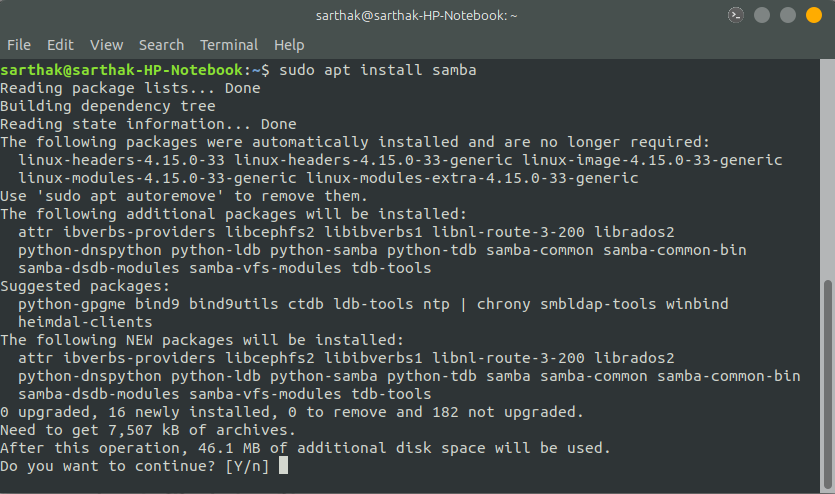
Now check the location of the installed files
whereis samaba
Now create directory in home/
Example:
mkdir sambashareNow Configure the SAMBA Files Add the given below content in /etc/samba/samba.conf
[sambashare]
path=(Directory Path)
readonly = no
browsable = yes
Restart the smbd daemon by
sudo samba daemon smbd
sudo service smbd restart

NFS Systems are more specific to LINUX/UNIX environment, there is an application layer protocol called NFS which provides a file sharing solution in cross-platform environment. Some common uses of NFS are:
- Migrating applications between operating systems by storing the data on shares accessible from multiple systems.
- Some famous applications like TeamViewer, ShareIT and many other uses this protocol from remote access and remote file sharing.