Methods to fit your configuration preferences and security requirements. Give and restrict data access down to the row- and column-level.


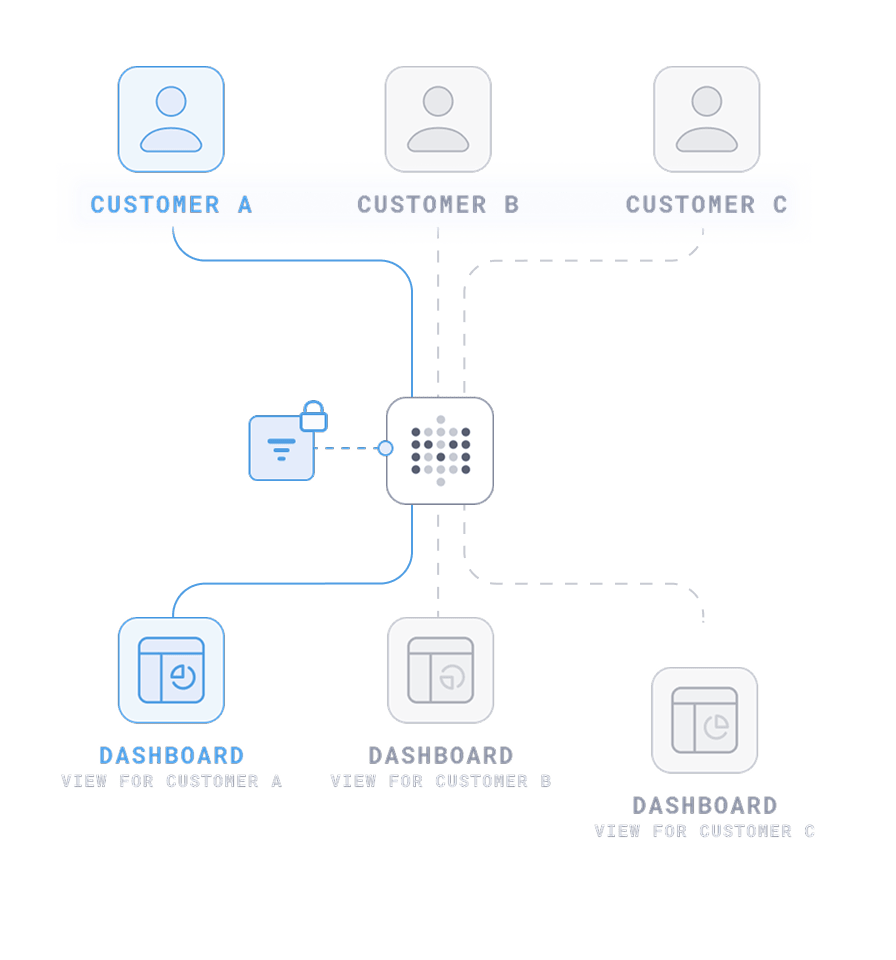
Define rules in Metabase that limit which rows and columns each group can see based on attributes you set.
Learn more about row-level securityDatabase-managed row-level permissions: Metabase impersonates database roles to enforce data visibility while still allowing SQL editor access.
Learn more about connection impersonationIn one-DB-per-tenant setups, Metabase routes each customer’s queries to their own database while keeping shared content in a primary DB.
Learn more about database routingLightweight data restriction for basic embedding setups, with locked paramters passed from your web app that users can’t modify.
Learn more about locked parametersWhat does it mean
When to use it
Example use case
Tradeoffs / when it's not a fit
Row-level security
Set in the Metabase UI
Define rules inside Metabase that restrict which rows and columns users can see. Based on attributes like user ID, group, region, etc. Applied to questions and dashboards, not native SQL.
For internal business intelligence: West coast fleet managers in a nationwide logistics firm can only see data relating West Coast fleet and delivery data.
Connection impersonation
DB-enforced RLS
Metabase connects as the actual user (or role) in the DB. You define RLS policies, roles, and access controls in the database itself. Metabase just passes through the user identity (e.g. via SET ROLE or proxy users).
Set role-based permissions for users of your HR SaaS app so managers can only see data for their direct reports.
Database routing
For one-DB-per-tenant setups
When you store tenant data in separate databases, DB routing ensures that each tenant can only see results from their corresponding database. Admins can build dashboards and questions in a primary db then route the queries to the right DB based on user attributes.
Acme's queries go to Acme's database when they run a query through an embedded dashboard in a SaaS app and backend data is separated at the DB level.
Locked parameters
Embed dashboards with filtered results before they're displayed (e.g. org_id = 123). These filters are invisible and tamper-proof. Controlled via attributes from your host app, like username or tenant_ID.
On embedded dashboards in your ecommerce app, show sales per seller using hidden seller ID passed by your host app.
Row-level security
Set in the Metabase UI
What does it mean
Define rules inside Metabase that restrict which rows and columns users can see. Based on attributes like user ID, group, region, etc. Applied to questions and dashboards, not native SQL.
When to use it
Example use case
For internal business intelligence: West coast fleet managers in a nationwide logistics firm can only see data relating West Coast fleet and delivery data.
Tradeoffs / when it's not a fit
Connection impersonation
DB-enforced RLS
What does it mean
Metabase connects as the actual user (or role) in the DB. You define RLS policies, roles, and access controls in the database itself. Metabase just passes through the user identity (e.g. via SET ROLE or proxy users).
When to use it
Example use case
Set role-based permissions for users of your HR SaaS app so managers can only see data for their direct reports.
Tradeoffs / when it's not a fit
Database routing
For one-DB-per-tenant setups
What does it mean
When you store tenant data in separate databases, DB routing ensures that each tenant can only see results from their corresponding database. Admins can build dashboards and questions in a primary db then route the queries to the right DB based on user attributes.
When to use it
Example use case
Acme's queries go to Acme's database when they run a query through an embedded dashboard in a SaaS app and backend data is separated at the DB level.
Tradeoffs / when it's not a fit
Locked parameters
What does it mean
Embed dashboards with filtered results before they're displayed (e.g. org_id = 123). These filters are invisible and tamper-proof. Controlled via attributes from your host app, like username or tenant_ID.
When to use it
Example use case
On embedded dashboards in your ecommerce app, show sales per seller using hidden seller ID passed by your host app.
Tradeoffs / when it's not a fit


